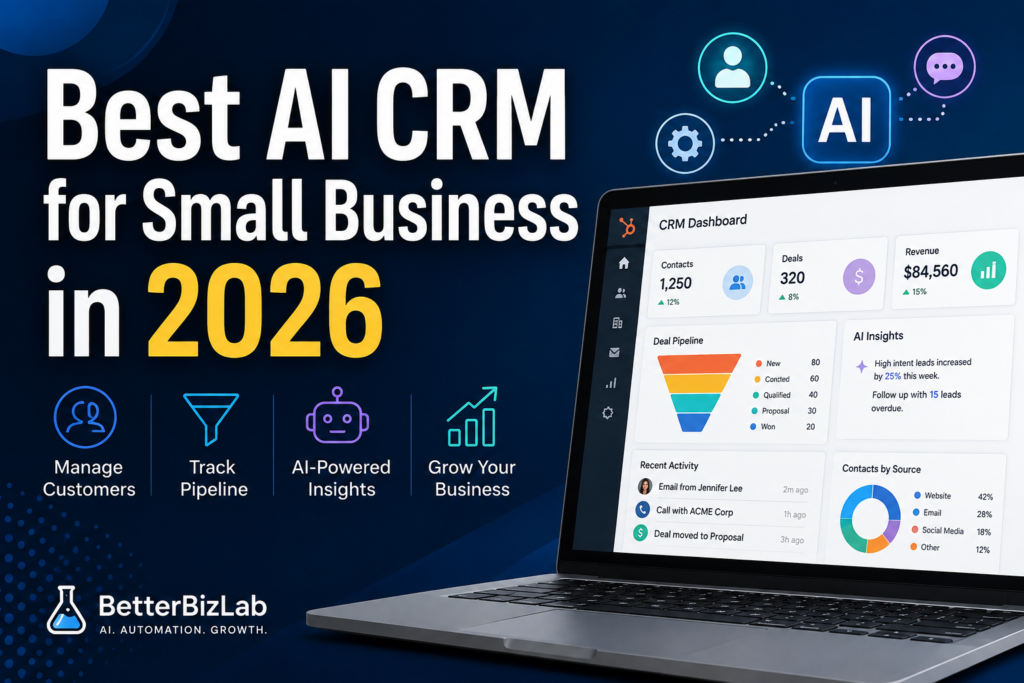
Choosing an AI CRM for small business can feel unnecessary at first. A spreadsheet, Gmail, and a few simple tools can work surprisingly well — until they don’t.
A spreadsheet may be enough when one person manages a handful of leads. Gmail can handle follow-ups. Using ChatGPT for small business can help draft sales emails, summarize notes, and organize information.
But as the business grows, customer information starts living in too many places.
One employee has the latest email. Another has a spreadsheet. Someone else remembers the last conversation. A follow-up gets missed, nobody is completely sure who owns the next step, and the owner becomes the person connecting everything manually.
That is usually when CRM software starts becoming valuable.
For a small business with roughly 5–20 employees, however, the question is not simply:
“What is the best CRM?”
The better question is:
“Is our business complicated enough that a CRM will save more time and revenue than it costs to implement and maintain?”
HubSpot is one of the strongest options to consider because it combines traditional customer relationship management with automation and increasingly capable AI tools.
But it is not automatically the right choice for every small business.
Here is how to decide.
What Is an AI CRM?
The best AI CRM for small business should do more than simply store customer information.
Traditional customer relationship management software organizes information about leads, customers, deals, communications, and sales activity.
An AI-powered CRM adds another layer.
Instead of simply storing information, AI can help teams interpret it, summarize activity, automate repetitive work, enrich records, identify what may require attention, and assist employees with their next actions. Small businesses can also use AI automation tools to reduce repetitive administrative work across other parts of the business.
For a small company, the practical benefit is not “having AI.”
The real benefit is reducing administrative work.
Think about the difference between these two workflows.
Without a CRM:
Lead arrives → employee copies information into a spreadsheet → sends an email → adds a reminder → updates notes → tells another employee what happened.
With a properly configured AI CRM:
Lead arrives → contact is recorded → communication history stays attached to the contact → tasks and pipeline stages are organized → AI and automation assist with repetitive work and follow-up.
The second system becomes increasingly valuable as more people become involved in sales and customer management.
Why HubSpot Is a Strong AI CRM for Small Business
HubSpot is unusual because a small business can start with a meaningful free CRM rather than immediately committing to expensive enterprise software.
HubSpot’s free CRM currently includes tools such as contact management, deal pipelines, CRM imports, reporting dashboards, and Breeze Assistant. HubSpot also offers tools for email tracking, meeting scheduling, live chat, tasks, and other customer-management workflows.
That makes the free version particularly useful for businesses moving away from spreadsheets for the first time.
HubSpot’s larger advantage, however, is what happens later.
The CRM connects with HubSpot’s broader marketing, sales, service, content, and data tools. A company can therefore start relatively small and add more sophisticated capabilities as its needs become more complex.
That ability to grow inside one ecosystem is both one of HubSpot’s biggest strengths — and one of its potential weaknesses.
More on that shortly.
Where HubSpot’s AI Fits In
HubSpot calls its AI platform Breeze.
Breeze includes an AI assistant, embedded AI capabilities, and more advanced agents that can help with tasks across sales, marketing, customer service, and data.
For example, depending on the HubSpot product and subscription level, its AI capabilities can help teams work with CRM information, research prospects, summarize customer activity, enrich records, recommend outreach, assist with customer conversations, and automate other repetitive work.
For a 5–20 employee business, this is potentially much more useful than adding another standalone AI tool.
Why?
Because the AI can work within the same environment where customer and sales information already exists.
That is an important distinction.
ChatGPT can help you write an excellent follow-up email.
But ChatGPT alone is not your CRM.
It does not automatically become the system that tracks the prospect, records the deal stage, gives the rest of your team visibility, and manages the customer relationship.
A CRM solves a different problem.
The BetterBizLab Test: When Do You Actually Need a CRM?
Small businesses should not buy software simply because larger companies use it.
The right time to adopt a CRM is when the cost of operating without one begins exceeding the cost and complexity of implementing one.
Here is a practical framework.
You probably do NOT need a serious CRM yet if:
You have a very small number of active prospects.
One person handles nearly all sales conversations.
Your sales process has only a few simple steps.
Customer information is still easy to locate.
Follow-ups are rarely missed.
A spreadsheet provides enough visibility for the people involved.
In this situation, a combination of spreadsheets, email, calendar reminders, and AI tools such as ChatGPT may still be perfectly reasonable.
Do not introduce software simply to make the business look more sophisticated.
You should start evaluating a CRM when:
Multiple employees communicate with the same customers or prospects.
You regularly ask, “Who followed up with this account?”
Sales opportunities are becoming difficult to track.
Customer information exists across spreadsheets, inboxes, notes, and individual employees.
Follow-ups occasionally fall through the cracks.
Management cannot quickly see the status of the sales pipeline.
Employees spend meaningful time manually updating or transferring customer information.
You need repeatable processes instead of relying on individual memory.
These are more important signals than an arbitrary company-size threshold.
For example, a five-person B2B company managing hundreds of active opportunities may need a CRM much sooner than a 20-person local business with a very simple sales process.
Complexity matters more than headcount.
A Practical Example
Imagine a 10-person wholesale business.
Two employees handle sales. One employee supports customer service. The owner is involved with important accounts.
Initially, the company tracks prospects in a spreadsheet.
That works.
Then the company grows.
One salesperson emails a buyer.
The buyer replies three days later.
Another employee talks to the same buyer by phone.
A product sample is requested.
Someone needs to follow up next Tuesday.
The owner wants to know whether the opportunity is likely to close this quarter.
Now the spreadsheet is no longer just a list.
It is trying to become a CRM.
That is the point where software like HubSpot begins to make much more sense.
The value is not the contact database itself.
The value is creating one source of truth for the customer relationship.
HubSpot Free CRM: Where I Would Start
For many small businesses evaluating HubSpot, I would not begin by purchasing an expensive package.
Start with the free CRM.
At the time of writing, HubSpot offers its foundational CRM tools free for up to two users.
That is enough for a small company to answer a much more important question:
Will our team actually use a CRM consistently?
Test it with a real workflow.
Import a manageable group of contacts.
Create your actual sales pipeline.
Assign real deals.
Track real follow-ups.
Connect the appropriate email and calendar workflows.
Then use the system for several weeks.
If employees consistently use it and management gets better visibility, you have evidence that expanding the system may be worthwhile.
If nobody updates it and everyone returns to spreadsheets, buying a more expensive HubSpot plan will not fix the underlying process problem.
Software cannot compensate for a workflow nobody follows.
What HubSpot Does Well
1. The Free Starting Point Is Strong
The free CRM reduces the financial risk of testing whether your company is ready for structured customer management.
That matters for small businesses.
You can learn how your team behaves inside a CRM before committing significant money.
2. It Can Replace Several Disconnected Processes
A growing company may otherwise end up assembling a patchwork of tools for contacts, email tracking, meeting scheduling, live chat, sales pipelines, marketing, and customer service.
HubSpot’s broader platform can bring many of these functions closer together.
That can reduce fragmentation.
3. AI Is Integrated With CRM Data
This is where HubSpot becomes more interesting in 2026.
AI is increasingly useful when it has access to the business context required to produce useful actions.
HubSpot’s Breeze tools operate within the customer platform rather than functioning only as a separate chatbot.
For small teams trying to accomplish more without immediately adding headcount, that integration can be valuable.
4. It Can Grow With the Business
A company can begin with basic CRM functionality and later add more sophisticated sales, marketing, service, automation, reporting, and AI capabilities.
That reduces the likelihood that a growing business will need to replace its entire CRM after a year or two.
Where HubSpot Can Become Expensive
This is the part small-business owners should pay close attention to.
HubSpot can be inexpensive to start.
That does not mean every HubSpot implementation remains inexpensive as the business grows.
The platform becomes significantly more sophisticated across higher product tiers, additional seats, marketing capabilities, advanced automation, AI agents, credits, and other features.
For example, HubSpot currently offers free CRM tools and relatively accessible entry-level options, while its broader Professional-level customer platform can move into four-figure monthly pricing depending on the package and configuration.
That is a very different purchasing decision.
This creates what I would call the HubSpot expansion problem.
You start because the free CRM is excellent.
Your employees adopt it.
Your customer data moves into HubSpot.
Then you discover features that would improve your workflow — advanced automation, reporting, AI agents, marketing functionality, additional permissions, service capabilities, or other tools.
Each upgrade may be reasonable individually.
Together, however, they can materially change the economics.
That does not make HubSpot a bad product.
It means a small business should evaluate HubSpot based on the likely cost two years from now, not only the cost on the day it signs up.
The Question to Ask Before Upgrading
Before moving from free or entry-level HubSpot tools into a substantially more expensive configuration, calculate what the additional functionality is expected to replace or improve.
For example:
Will automation save five employee hours every week?
Will better lead management prevent valuable opportunities from being forgotten?
Will the system replace another software subscription?
Will better pipeline visibility improve forecasting?
Will automated customer service reduce repetitive support work?
Will your team actually use the advanced features?
If you cannot identify the operational benefit, do not upgrade simply because the feature exists.
Small businesses accumulate software expenses surprisingly quickly.
Every subscription should have a job.
HubSpot vs. Staying With Spreadsheets + ChatGPT
This is an important comparison because many small companies already use ChatGPT.
ChatGPT can help with:
Drafting emails.
Summarizing customer notes.
Creating follow-up templates.
Writing proposals.
Analyzing exported information.
Creating sales scripts.
But spreadsheets + ChatGPT still require someone to maintain the underlying customer-management system.
HubSpot becomes more valuable when the problem is no longer creating content or analyzing information.
The problem becomes coordinating people, customer data, deals, activities, and follow-ups.
That is the transition point.
The two technologies are therefore not necessarily competitors.
A small business may ultimately use both.
When Pipedrive May Be a Better Choice
Not every company needs a broad customer platform.
If your primary requirement is straightforward sales pipeline management, Pipedrive deserves consideration.
Its sales-focused approach may appeal to teams that want representatives to see deals, move opportunities through pipeline stages, and concentrate on closing business without adopting a much broader marketing and service ecosystem.
A company primarily asking:
“Where are our deals and what needs to happen next?”
may prefer that narrower focus.
A company asking:
“How do we connect sales, marketing, service, automation, customer data, and AI?”
may find HubSpot more compelling.
When Zoho CRM May Be a Better Choice
Zoho is another option worth evaluating, particularly for cost-conscious companies already interested in the broader Zoho software ecosystem.
The trade-off is similar to many business-software decisions.
The cheapest option is not automatically the best option.
The best CRM is the one your employees will actually use while giving management the information required to make better decisions.
If your company is highly price-sensitive, compare Zoho carefully with HubSpot before committing to a larger HubSpot configuration.
HubSpot vs. Pipedrive vs. Zoho: Simple Decision Framework
| Your Priority | Consider |
|---|---|
| Start with a capable free CRM | HubSpot |
| Connect CRM with marketing, service and automation | HubSpot |
| Integrated AI + broader customer platform | HubSpot |
| Simple, sales-focused pipeline management | Pipedrive |
| Cost-conscious CRM evaluation | Zoho CRM |
| Long-term all-in-one growth ecosystem | HubSpot |
Do not choose based solely on this table.
Use it to decide which products deserve a real trial.
Our Recommendation for a 5–20 Employee Business
For a growing small business with 5–20 employees, HubSpot should probably be on the CRM shortlist.
But I would approach it in stages.
Stage 1: Identify the operational problem.
Do not start with software.
Document what is currently failing.
Missed follow-ups?
Scattered customer information?
Poor pipeline visibility?
Manual data entry?
Unclear account ownership?
If there is no meaningful problem, there may be no reason to change systems yet.
Stage 2: Test the free CRM with a real workflow.
Do not create a fake demo pipeline.
Use actual contacts and actual opportunities.
See whether employees use it.
Stage 3: Measure adoption and operational improvement.
After several weeks, ask whether the CRM reduced confusion, improved visibility, or prevented manual work.
Stage 4: Upgrade only when the next feature solves a measurable problem.
This is where many small businesses make mistakes.
Do not buy the future.
Buy the capability the company actually needs.
Is HubSpot Worth It in 2026?
For the right small business, yes.
HubSpot is particularly compelling for companies that have outgrown spreadsheets and want customer management, sales, marketing, service, automation, and AI to increasingly operate around the same customer data.
The free CRM makes the initial experiment relatively low-risk.
Breeze and HubSpot’s broader AI strategy also make the platform increasingly relevant as small businesses look for ways to automate routine customer-facing work.
But HubSpot becomes less obviously attractive when a company needs only a basic sales pipeline or when the business begins purchasing significantly more expensive tiers without using the additional functionality.
That is why our recommendation is not:
“Every small business should use HubSpot.”
It is:
“Start with the business problem, test HubSpot at the lowest sensible level, and make the software earn every upgrade.”
For a 5–20 employee company, that is a much safer way to adopt AI-powered business software.
Final Verdict
Best for: Growing small businesses that need more structure across sales and customer relationships and expect their CRM needs to become more sophisticated.
Biggest strength: A strong entry point combined with a large ecosystem of CRM, sales, marketing, service, automation, and AI tools.
Biggest concern: Costs and complexity can increase substantially as the business expands into higher tiers and additional HubSpot products.
BetterBizLab verdict: Strong option — but start small.
Use the free CRM to prove that your team needs and will actually use the system.
Then upgrade when a specific feature solves a specific business problem.
That approach gives a small business most of HubSpot’s upside without automatically committing to the cost and complexity of the entire platform.
Frequently Asked Questions
Is HubSpot CRM really free?
HubSpot currently offers free CRM tools for up to two users, including foundational contact, deal, pipeline, reporting, and other CRM capabilities. Features and limits can change, so businesses should verify current terms before implementation.
Does HubSpot include AI?
Yes. HubSpot’s AI platform is called Breeze. Breeze Assistant and embedded AI capabilities are available at the free level, while access to more advanced AI agents and capabilities depends on the product and subscription tier.
Can ChatGPT replace a CRM?
Usually not once multiple employees need shared visibility into customers, deals, activities, and follow-ups. ChatGPT can assist with writing, analysis, summarization, and workflows, but it does not by itself replace a structured customer relationship management system.
When should a small business stop using spreadsheets for CRM?
There is no universal customer or employee threshold. A better signal is operational complexity: multiple employees working with the same accounts, missed follow-ups, scattered customer information, poor pipeline visibility, or increasing manual coordination.
Is HubSpot better than Pipedrive?
It depends on the business. HubSpot may be more attractive to companies wanting a broader sales, marketing, service, automation, and AI ecosystem. A company primarily focused on straightforward sales pipeline management may prefer Pipedrive’s more focused approach.
Is HubSpot worth paying for?
It can be, but a small business should upgrade only when paid functionality solves a measurable operational problem. Testing the free CRM first can help determine whether the team will actually use the system before making a larger commitment.
Disclosure: BetterBizLab may use affiliate links in this article in the future. If you purchase through one of our links, we may earn a commission at no additional cost to you. Our recommendations are based on practical usefulness and fit for small businesses, not affiliate compensation.