The best AI automation tools for small business can do much more than generate emails or summarize documents. In 2026, small businesses can use AI-powered automation to qualify leads, organize customer requests, update spreadsheets and CRMs, create follow-up tasks, summarize meetings, route information, and connect everyday business apps.
For a small business, that matters. Every repetitive task that can be automated gives an owner or employee more time to focus on customers, sales, strategy, and growth.
But not every automation platform is right for every business.
Some tools are designed for beginners who want to connect apps without coding. Others provide much more control for advanced workflows. And newer AI agents can make decisions within a workflow instead of simply following a fixed sequence of rules.
This guide compares some of the best AI automation tools for small business in 2026 and explains which type of business each one fits best.
Quick Answer
There is no single best tool for every small business. Based on our hands-on test and vendor documentation:
- Zapier is the easiest guided starting point for most nontechnical small businesses.
- Make is a strong choice when workflows become visual and branch into several paths.
- n8n is a stronger option than we originally expected for teams that want more control. In our simple test, its AI workflow builder removed much of the initial setup friction.
- Power Automate is the natural candidate for businesses that already run on Microsoft 365.
- ChatGPT is the AI reasoning and writing layer inside an automation, not a replacement for the workflow platform.
Before choosing a tool, it helps to identify the right processes first. Start with these 7 small business tasks you can automate with AI.
If you’re just getting started, our guide on how small businesses can use AI to save time and work smarter covers practical ways to introduce AI into everyday operations.
How we assessed these tools: BetterBizLab built the same simple workflow in Zapier, Make, and n8n: a new customer inquiry in Google Sheets triggers a personalized acknowledgement email through Gmail. All three sent real emails, which we verified in the actual inbox. That was one simple two-app workflow, not a test of complex or high-volume automation; the full results are in our hands-on Zapier vs Make vs n8n comparison. We also built a separate multi-step follow-up workflow in Zapier, described below. Power Automate has not received the same controlled hands-on comparison, and the ChatGPT section describes its role inside a workflow rather than a platform test. Pricing and plan details for all five tools come from official vendor pricing pages and documentation (checked September 24, 2026; n8n pricing rechecked October 6, 2026).
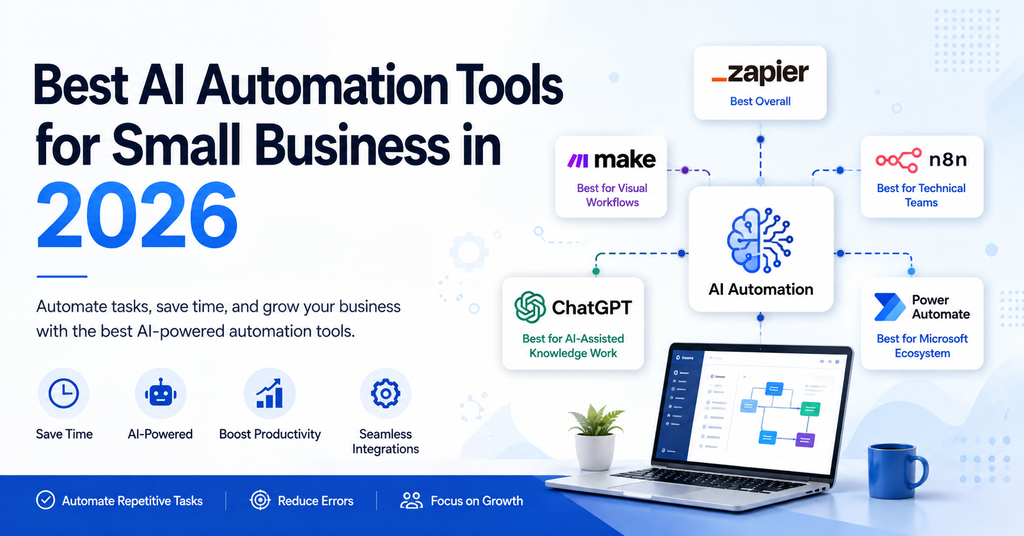
Quick Comparison: Best AI Automation Tools for Small Business
| Tool | Best for | BetterBizLab takeaway |
|---|---|---|
| Zapier | Simple first automations | About 15 minutes to a verified email; easiest manual setup in our test |
| Make | Visual, branching workflows | About 15 minutes; more setup choices, and check the actual customer-facing output |
| n8n | Teams that want more control | About 4–5 minutes once the workspace was ready; AI sped up the initial build, but manual verification was still required |
| Power Automate | Businesses on Microsoft 365 | Natural Microsoft ecosystem option; check whether premium connectors are required |
| ChatGPT | Drafting, summarizing, and classifying inside workflows | Best used as the AI layer; it is not a workflow platform on its own |
Timings come from one simple Google Sheets → Gmail test and are not a general speed ranking.
For a broader comparison beyond automation platforms, see our guide to the best AI tools for small business in 2026.
The best AI automation tools for small business should make everyday workflows simpler without adding unnecessary complexity.
There is no single winner for every company. The right choice depends on the apps you already use, the complexity of your workflows, your technical skills, and how much control you need.
1. Zapier — Best Starting Point for Most Small Businesses
Zapier remains one of the easiest places for a small business to begin automating work.
The basic idea is straightforward: an event in one application triggers an action in another. For example, a website form receives a new lead, Zapier adds the contact to your CRM, the sales team receives a notification, and a follow-up task is created automatically. An AI step can also summarize, categorize, or draft information before the next action runs.
- Best for: Lead handling, form processing, CRM updates, notifications, and other workflows that connect common business apps.
- Setup difficulty: Low for simple two-app workflows. Moderate once you add date logic, delays, lookups, and filters.
- Key trade-off: The easiest builder of the group, but pricing is based on tasks, so costs rise with volume and more complex workflows.
- Choose it when: You want a non-technical owner or manager to build and maintain the first few automations.
- Probably unnecessary when: Your workflow is a single two-app handoff that your existing software already handles natively, or your volume is high enough that task pricing becomes the main cost.
- Pricing and limits (checked September 24, 2026): The free plan includes 100 tasks per month but only two-step Zaps. Professional starts at $19.99/month and adds multi-step Zaps and premium apps; Team starts at $69/month for up to 25 users. Zapier says built-in steps such as Filter, Formatter, and Delay do not count as tasks.
Zapier in Our Three-Platform Comparison
In our controlled Google Sheets → Gmail comparison, Zapier took about 15 minutes from starting the build to a successful test email, including time to fix a spreadsheet setup mistake we made ourselves. Its trigger-and-action structure felt the most guided of the three when building manually. The email used customer data mapped from the sheet, and we confirmed the real message in Gmail.
What Our Multi-Step Zapier Follow-Up Test Showed
For our best AI tools for small business guide, we built a customer follow-up workflow in Zapier using a hypothetical lead stored in Google Sheets. The goal: wait three days after pricing was sent, confirm the lead still needed a follow-up, and only then continue.
What sounded like a simple “follow up after three days” rule needed several distinct steps:
- A date calculation (Zapier’s date/time formatter) to work out the last-contact date plus three days.
- A Delay Until step to wait until that date.
- A second, fresh lookup of the spreadsheet row after the delay, so the workflow didn’t act on stale information if the lead had replied in the meantime.
- A conditional filter that let the workflow continue only when Lead Status = “Pricing Sent” and Customer Replied = “No.”
In our test, Zapier retrieved the latest record and the filter behaved as intended. When we tried to add ChatGPT to prepare a personalized follow-up draft, Zapier’s ChatGPT connection asked for separate OpenAI API credentials. We stopped the test there, so we did not test AI-generated drafting or automatic email sending in this workflow.
The practical takeaway: no-code did not mean zero setup. A realistic follow-up workflow is multi-step, so it needs a paid Zapier plan, and adding AI brings a second account and bill. For the drafting side of this workflow, see our guide on how to automate customer follow-ups with AI.
BetterBizLab verdict: The best starting point for most small businesses that have never built an automation. Start with one narrow, valuable workflow rather than automating everything at once.
2. Make — Best for Visual and Complex Workflows
Make takes a more visual approach to automation. Instead of a list of steps, you build workflows (Make calls them scenarios) on a canvas where apps, routes, and decisions are connected.
That becomes useful when a workflow has multiple branches. Imagine a customer inquiry arriving through an online form: the workflow could classify the message, send sales inquiries to a CRM, send support questions to a ticketing system, notify the right employee, and record everything in a database. Seeing those paths laid out makes a branching workflow easier to review and troubleshoot.
- Best for: Multi-step workflows with branches and conditions, such as inquiry routing, ecommerce order handling, and data processing.
- Setup difficulty: Moderate. The canvas is approachable, but you need to understand routes, filters, and how data moves between modules.
- Key trade-off: More flexibility and lower entry pricing than Zapier, but each module action consumes a credit, so a many-step scenario uses credits quickly.
- Choose it when: Someone on the team is comfortable with a slightly more technical builder and your workflows branch into several paths.
- Probably unnecessary when: You only need a handful of simple app-to-app automations; the extra flexibility adds learning time without much benefit.
- Pricing and limits (checked September 24, 2026): The free plan includes 1,000 credits per month, 2 active scenarios, and a 15-minute minimum run interval. Core starts at $12/month (billed monthly) with 10,000 credits, unlimited active scenarios, and a 1-minute interval; Make says annual billing saves 15% or more. Make counts each module action in a scenario as one credit.
What BetterBizLab’s Make Test Showed
In the same Google Sheets → Gmail comparison, Make took about 15 minutes to reach a working, verified workflow. The visual scenario canvas made the structure easy to see, even with only two modules. It also asked for more configuration decisions than Zapier, such as which row holds the headers and where the scenario should start watching for new rows.
The first run technically worked, but some customer details had been typed directly into the email. After replacing them with mapped Name, Email, and Inquiry fields, we added a second test customer and confirmed in the inbox that the message was personalized correctly. One email still arrived as a single long line because of an HTML/plain-text setting: a reminder that a successful run is not the same as customer-ready output.
BetterBizLab verdict: The better value when workflows branch and someone is willing to learn a more detailed builder. Our test supported that: Make was not difficult, but it was more hands-on than Zapier.
3. n8n — Best for Control and Custom Workflows
n8n is a workflow automation platform that can connect applications, APIs, databases, AI models, and internal systems, and it can run either on n8n’s cloud or on your own server. It shows more of the underlying workflow than Zapier, including nodes, the data passing between them, and each execution, so it can look technical at first. In our hands-on test, it was easier to start than that first impression suggests.
- Best for: Teams that want more control, custom AI workflows, API integrations, and internal tools, especially when someone is willing to understand how each workflow runs.
- Setup difficulty: Lower than we expected for a simple cloud workflow, thanks to the AI workflow builder. Still more technical than Zapier once you configure details, troubleshoot executions, or self-host, which adds server maintenance.
- Key trade-off: More control and execution-based pricing, but the business takes on more setup, troubleshooting, and maintenance as workflows become more advanced.
- Choose it when: Someone will own and verify the system, you expect workflows to grow in complexity or volume, you need custom integrations, or you want the option of keeping data on infrastructure you control.
- Probably unnecessary when: Nobody on the team wants to review how a workflow runs, or you only need a few simple automations that a more guided builder handles well.
- Pricing and limits (checked October 6, 2026): The self-hosted Community Edition is free with unlimited executions, but you run and maintain the server. On n8n Cloud, Starter is €20/month billed annually with 2,500 workflow executions, and Pro is €50/month billed annually with 10,000 executions. n8n prices in euros and counts one execution per full workflow run, regardless of how many steps it has.
What BetterBizLab’s n8n Test Showed
We expected n8n to require the most technical work. Instead, its AI workflow builder generated the initial two-node Google Sheets → Gmail structure from a plain-English description in about 33 seconds. Once the n8n Cloud workspace was ready, it took roughly 4–5 minutes to reach a working live automation. Creating the account and waiting for the workspace to initialize took additional time that is not included in that figure.
The AI did not finish the job on its own. We still had to connect real Google and Gmail credentials, select the actual spreadsheet and sheet, and check the field mappings. n8n’s initial verification used simulated data, so we kept going until a real email with the correct name and inquiry reached the inbox.
This was one simple workflow, so the timing is not a general speed ranking, and it tells you nothing about complex branching, high volume, or long-term maintenance. For the step-by-step details, see how Zapier, Make, and n8n handled the same Google Sheets → Gmail automation.
BetterBizLab verdict: A stronger small-business candidate than we originally expected. It still exposes more technical detail than Zapier and needs someone to verify what the AI builds, but it should not be ruled out just because it looks technical.
4. ChatGPT — Best as the AI Layer Inside Your Automations
ChatGPT is on this list for a different reason than the other four tools. It is an AI model for reasoning and content generation, not a workflow automation platform.
The distinction matters when you plan a workflow:
- Workflow automation (orchestration) watches for a trigger, waits, looks up records, applies rules, and moves information between apps. That is what Zapier, Make, n8n, and Power Automate do.
- AI reasoning and content generation works with the information itself: drafting a follow-up, summarizing a meeting, or classifying an inquiry. That is where ChatGPT fits.
In practice, many useful small-business automations combine both. An automation platform collects customer feedback, sends it to an AI model for classification and summarization, stores the result, and alerts a manager when a recurring problem appears. ChatGPT does not replace the platform that runs those steps on a schedule and connects your apps.
- Best for: Drafting, summarizing, classifying, and turning unstructured text into structured information, on its own or as a step inside a workflow.
- Setup difficulty: Easy to use directly. Connecting it inside an automation platform takes more setup, because the platform connects through OpenAI’s API rather than your ChatGPT subscription.
- Key trade-off: Very flexible, but AI output still needs human review before it reaches customers or affects money, contracts, or commitments.
- Choose it when: The workflow involves language or judgment: writing a draft, summarizing notes, or sorting free-text requests.
- Probably unnecessary when: The task is a fixed rule (for example, “save every invoice to this folder”). A normal automation step is cheaper and more predictable.
- Pricing and limits (checked September 24, 2026): ChatGPT has a free plan; Plus is $20/month, and Business is $20 per user/month billed annually or $25 billed monthly (from 2 users). Using ChatGPT inside Zapier requires separate OpenAI API credentials, which OpenAI bills separately, as we found in our Zapier test.
BetterBizLab verdict: Add ChatGPT when a workflow needs AI judgment or writing, not as a substitute for an automation platform.
5. Microsoft Power Automate — Best for Microsoft-Based Businesses
If your company already runs heavily on Microsoft 365, Power Automate deserves consideration. It automates processes across Outlook, Excel, Teams, SharePoint, and other connected services.
- Best for: Approvals, internal notifications, document routing, and other workflows that stay mostly inside Microsoft 365.
- Setup difficulty: Moderate. Simple cloud flows are approachable; licensing and connector types take some time to understand.
- Key trade-off: Strong fit inside the Microsoft ecosystem, but anything beyond standard connectors quickly means another per-user license.
- Choose it when: Your team already works in Microsoft 365 and most of the workflow touches Microsoft apps.
- Probably unnecessary when: Most of your business runs on non-Microsoft tools such as Google Workspace or a CRM that relies on premium connectors.
- Pricing and limits (checked September 24, 2026): Microsoft 365 licenses include cloud flows with standard connectors (Microsoft lists a limit of 6,000 actions per user per day); premium and custom connectors are not included unless the flow is tied to the licensed app. Power Automate Premium is $15 per user/month, paid yearly, and adds premium connectors and attended desktop automation (RPA). Microsoft offers a 30-day trial.
BetterBizLab verdict: The natural first choice for Microsoft-centered businesses. Check whether your workflow needs premium connectors before you plan around the included license.
What Is the Difference Between Automation and AI Automation?
Traditional automation follows rules.
For example:
When a customer completes Form A → add the customer to List B → send Email C.
The workflow follows instructions that were defined in advance.
AI automation adds another layer.
The system may analyze text, classify information, summarize content, extract data, generate a response, or help decide which path the workflow should take.
AI agents take this idea further by allowing software to work toward a goal and select actions based on context rather than relying exclusively on a rigid sequence.
This does not mean every workflow needs an AI agent. Our guide to AI agents for small business walks through when one is actually worth it.
In fact, predictable tasks are often better handled by predictable automation.
If an invoice simply needs to be saved to a specific folder every time it arrives, a traditional rule may be all you need.
AI becomes more useful when the task involves unstructured information, interpretation, classification, or decisions that cannot easily be reduced to one fixed rule.
5 Small Business Workflows Worth Automating First
The biggest mistake is trying to automate everything at once.
Start with repetitive tasks that happen frequently and have a clear process.
1. Lead Capture and Follow-Up
A new lead completes a website form.
The contact can automatically be added to a CRM, assigned to the appropriate person, recorded in a spreadsheet, and followed by a notification or task.
This reduces the chance of leads being forgotten. See how to automate customer follow-ups with AI for a complete version of this workflow with a human approval step.
2. Customer Inquiry Routing
AI can help classify incoming requests.
A sales question can go to sales.
A billing question can go to accounting.
A support problem can go to customer service.
The goal is not necessarily to eliminate human involvement. It is to reduce the manual work required before the right person can respond. Our guide on how to automate customer service with AI covers escalation rules for this workflow.
3. Meeting Follow-Ups
Meeting notes or transcripts can be summarized and converted into action items.
Tasks can then be assigned or recorded in a project management system.
For teams that spend significant time in meetings, this can eliminate a surprising amount of repetitive administrative work.
4. Repetitive Reporting
Businesses often collect information in several different systems.
Automation can pull that information together and create recurring reports for sales, marketing, inventory, operations, or management.
Instead of spending Monday morning assembling the same spreadsheet every week, the underlying data collection can happen automatically.
5. Customer Feedback Analysis
Reviews, survey responses, support tickets, and emails contain useful information, but manually reading large amounts of feedback takes time.
AI can help categorize and summarize feedback so a business can identify recurring complaints, product requests, or customer trends more quickly.
How to Choose the Right AI Automation Tool
Do not start by asking:
Which platform has the most features?
Start with:
What repetitive problem am I trying to eliminate?
Then consider four factors.
Ease of Use
Who will build and maintain the automation?
A platform that your team actually understands is often more valuable than a more powerful system nobody wants to touch.
Integrations
Check whether the automation platform works well with the applications your business already uses.
Your CRM, ecommerce platform, accounting system, forms, email, spreadsheets, project management software, and communication tools should drive the decision.
Complexity
A two-step automation and a 30-step operational workflow have very different requirements.
Simple businesses should not automatically choose the most complex platform.
Cost
Look beyond the advertised monthly subscription.
Automation costs can depend on workflow executions, tasks, operations, AI usage, additional applications, and the amount of data being processed.
Estimate what the system will cost when your business actually uses it at scale. The five tools meter usage differently:
- Zapier: tasks (each successful action; built-in steps like Filter, Formatter, and Delay are not counted).
- Make: credits (each module action in a scenario).
- n8n: executions (one full workflow run, regardless of steps).
- Power Automate: per-user licenses, with standard connectors included in Microsoft 365.
- ChatGPT inside an automation: OpenAI API usage, billed separately from a ChatGPT subscription.
A 10-step workflow that runs 500 times a month can cost very different amounts under each model, so price your actual workflow, not just the entry plan.
Where to Keep a Human in the Loop
Routine, low-risk tasks such as acknowledgement emails, internal notifications, logging a new lead, or creating a task can often run automatically.
Require human approval, or at least strongly consider it, before an automation:
- changes pricing or offers a discount,
- issues payments or refunds, or approves expenses,
- creates contracts or other legal commitments,
- deletes records or makes changes that cannot easily be undone,
- sends sensitive customer communications, such as replies to complaints or disputes,
- makes any other consequential business decision.
Also check the output, not just the run status. “Workflow succeeded” does not mean the customer-facing result is correct. In our Make test, the scenario ran and the email arrived, but one message was formatted as a single long line, and an earlier run had customer details hard-coded instead of mapped. Before a workflow goes live, send a test to yourself and read what the customer would actually receive.
What I’d Choose for a 5–20 Person Small Business
If I were choosing for a business with 5–20 people, I would start with who will own the automation, not with the feature list.
- Nobody owns automation yet, and the first workflows are straightforward (form → CRM, new row → email, new order → task): start by testing Zapier. In our test it was the most guided path to a working workflow.
- The company runs on Microsoft 365: evaluate Power Automate before adding another platform. Standard connectors may already be included in your licenses, so check whether the workflow needs premium connectors.
- Workflows are becoming visual and branching (sales vs. support vs. billing): evaluate Make. The canvas makes the logic easier to see, at the cost of more configuration.
- A technical owner, deeper control, or more sophisticated workflows ahead: include n8n in the evaluation. Do not dismiss it just because it looks technical; its AI builder made our first workflow easier than expected, and execution-based pricing can matter as workflows grow.
- Add AI only where it adds value: interpretation, classification, summarization, or drafting. A fixed rule does not need an AI step, and ChatGPT or another model works as one step inside the platform you choose.
The best setup may eventually involve more than one tool. Whichever you choose, build one real workflow with your own data before committing.
How We Evaluate AI Automation Tools
At BetterBizLab, we believe automation software should be evaluated based on practical business value rather than the number of AI features printed on a product page.
We look at factors including ease of implementation, useful integrations, flexibility, learning curve, scalability, transparency, and whether the tool can realistically save a small business time.
Evidence basis for this guide: BetterBizLab built the same Google Sheets → Gmail customer-inquiry workflow in Zapier, Make, and n8n and verified each email in a real inbox. We also built a separate multi-step customer follow-up workflow in Zapier and report only the steps we actually completed. Power Automate and ChatGPT were not part of that controlled comparison, so those sections rely on official vendor documentation. Plan limits and prices for all five tools come from official pricing pages, checked September 24, 2026; n8n pricing rechecked October 6, 2026. Our hands-on test covered one simple two-app workflow, not complex branching, high-volume production use, API-heavy workflows, advanced error handling, enterprise security, or long-term maintenance. Pricing changes often, so confirm current plans before you buy.
We also consider an important question:
Does this workflow actually need AI?
Sometimes the best automation is a simple rule that works every time.
Adding AI should solve a problem, not make a straightforward process unnecessarily complicated.
Frequently Asked Questions
What is the best AI automation tool for small business?
For many small businesses, Zapier is a strong starting point: its trigger-and-action builder was the most guided of the three platforms we tested, and it connects with a very large ecosystem of apps. Make suits more visual, branching workflows. n8n is worth evaluating if you want more control; in our test, its AI builder made the first workflow easier than expected. Businesses built around Microsoft 365 should also evaluate Power Automate.
Is ChatGPT an automation tool?
Not by itself. ChatGPT generates and analyzes content; an automation platform such as Zapier, Make, n8n, or Power Automate handles triggers, waiting, lookups, rules, and moving data between apps. Many useful workflows use both, with ChatGPT as one step inside the automation.
Can a small business use AI automation without coding?
Yes. Many modern automation platforms are designed around no-code or low-code workflow builders. However, more advanced workflows may still benefit from technical knowledge.
What should I automate first in my business?
Start with a repetitive, predictable task that happens frequently. Lead entry, customer notifications, meeting follow-ups, data entry, reporting, and routing requests are good places to look. Our guide on how to automate a small business with AI walks through choosing and building the first workflow.
Will AI automation replace employees?
For most small businesses, the more useful way to think about automation is task replacement rather than employee replacement.
Automating repetitive administrative work can give employees more time for customer relationships, problem solving, sales, creative work, and other activities where human judgment matters.
Are AI agents necessary for small business automation?
Not always.
AI agents are useful when a workflow needs interpretation or adaptive decision-making. Traditional automation is often better for predictable processes with clear rules.
Use the simplest technology that reliably solves the problem.
Final Verdict
The best AI automation tools for small business in 2026 are becoming more capable, but the goal of automation has not changed: save time, reduce repetitive work, and make the business operate more consistently.
Choosing the best AI automation tools for small business ultimately depends on your existing software, technical skills, budget, and the workflows you want to automate.
For most beginners, Zapier is the easiest place to start.
Make is a strong choice when workflows become more visual and complex.
n8n offers more control and flexibility, and its AI builder makes it easier to start than it first appears.
Microsoft Power Automate makes sense for businesses already operating inside Microsoft 365.
And ChatGPT can add AI-powered analysis, writing, summarization, and reasoning as a step inside these workflows, but it does not replace the automation platform that runs them.
Do not try to automate your entire company in one weekend.
Choose one repetitive process. Measure how much time it consumes. Automate it carefully. Make sure the result is reliable, including what a customer actually receives.
Then move to the next one.
That is how automation becomes a business system rather than another piece of software.