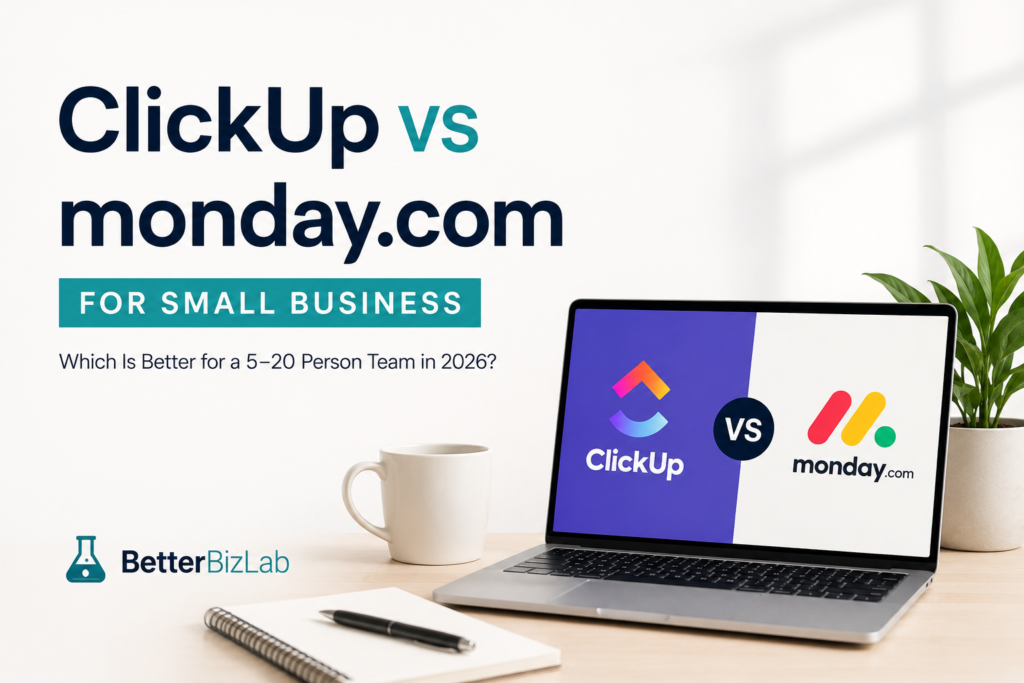
Choosing between ClickUp and monday.com gets harder when your business grows beyond a handful of employees.
A five-person team can often survive with spreadsheets, email, chat messages, and a shared task list. But as the company grows toward 10 or 20 employees, that system can start breaking down. Tasks disappear inside email threads, managers spend too much time asking for updates, and employees are not always sure who owns the next step.
That is when project management software starts becoming less of a nice-to-have and more of an operating system for the business.
ClickUp and monday.com are two of the strongest options, and both now put AI at the center of their platforms. But a small business does not necessarily need the platform with the longest feature list.
It needs the one employees will actually use.
In this comparison, we look at ClickUp vs monday.com for small business specifically from the perspective of a 5–20 person company, including ease of use, AI, automation, pricing, employee adoption, and day-to-day operations.
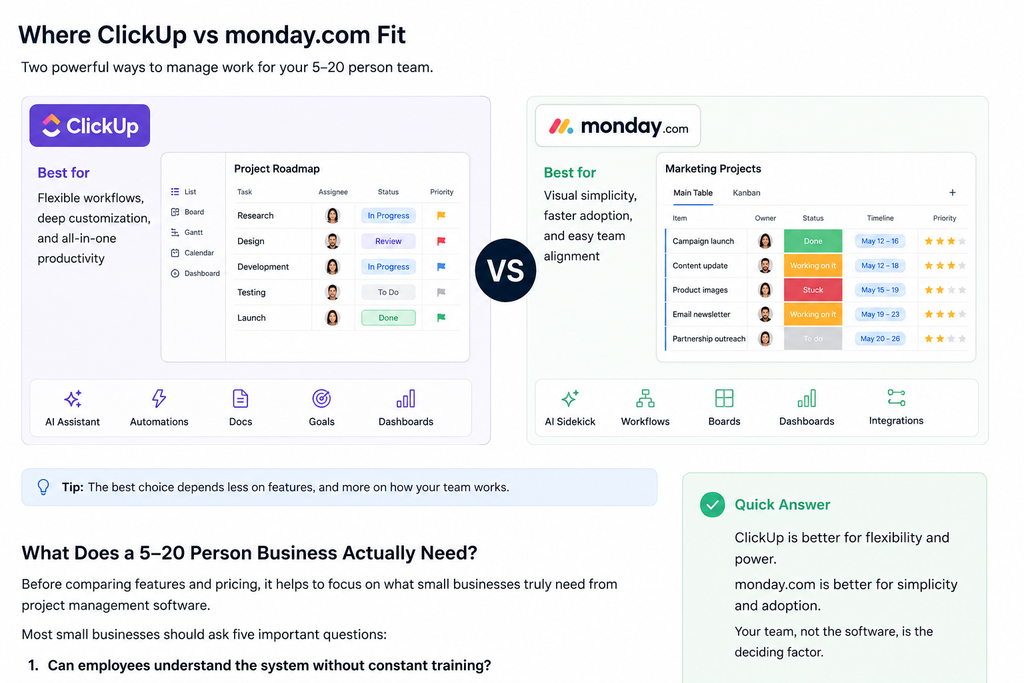
Quick verdict: ClickUp is the stronger option for businesses that want maximum flexibility, deeper AI capabilities, and more functionality inside one platform. monday.com is often the better choice when visual simplicity, faster onboarding, and employee adoption matter more than having every possible feature.
For many 5–20 person businesses, our overall pick is ClickUp — provided someone in the company is willing to own the setup and keep the system organized.
ClickUp vs monday.com: Quick Comparison
| Category | ClickUp | monday.com |
|---|---|---|
| Best for | Flexible and more complex workflows | Visual and straightforward workflows |
| Ease of use | Good, but takes more setup | Generally easier to learn |
| Customization | Excellent | Very good |
| AI | Very strong | Very strong |
| Automation | Extensive | Strong and approachable |
| Employee adoption | Can require more training | Often easier for nontechnical teams |
| Starting paid price* | $7/user/month | $9/seat/month |
| Free plan | Yes | Yes, up to 2 seats |
| Better fit | Operations, agencies, cross-functional teams | Marketing, sales and nontechnical teams |
*Annual billing prices shown where applicable. Pricing and AI allowances can change, so check the vendors’ current pricing before purchasing.
ClickUp currently lists Unlimited at $7 per user per month and Business at $12 when billed annually. monday.com currently lists Basic at $9 per seat per month, Standard at $12, and Pro at $19 when billed annually.
What Does a 5–20 Person Business Actually Need?
This is where evaluating project management software for a small business differs from evaluating it for a large corporation.
Most small businesses do not employ someone whose only job is administering project management software.
The owner, operations manager, marketing manager, or another employee usually ends up maintaining the system on top of their regular responsibilities.
That means a small business should ask five questions before choosing either platform.
Can employees understand the system without constant training?
Software does not improve productivity when employees avoid using it.
Can managers immediately see who owns what?
One of the biggest reasons to move away from spreadsheets and scattered messages is accountability.
Can repetitive follow-ups be automated?
A useful platform should reduce management work rather than create another dashboard someone has to maintain.
Can it replace existing tools?
Adding another $100 or $200 monthly subscription is easier to justify when it eliminates other software or saves meaningful employee time.
Will the system still work when the company grows?
A five-person company may need only task management today. A 20-person company may need departments, approvals, dashboards, automations, workload management, documentation, and reporting.
That is the lens we use for the rest of this comparison.
ClickUp: Better for Businesses That Want One Highly Flexible System
ClickUp’s biggest advantage is flexibility.
A company can use the same workspace for marketing campaigns, customer projects, recurring operational tasks, product launches, internal documentation, meeting notes, and management dashboards.
That flexibility can become particularly valuable as a small company adds employees.
Instead of each department choosing a different tool, ClickUp can become a centralized place where work is assigned, documented, tracked, and increasingly automated.
ClickUp currently positions its Unlimited plan as appropriate for small teams, while Business adds more advanced dashboards, automation, workload management, and reporting capabilities.
The trade-off is that flexibility creates complexity.
A new ClickUp workspace can become cluttered surprisingly quickly if every manager creates their own Spaces, Lists, statuses, fields, and automations.
That is why we would not recommend adopting ClickUp without deciding who owns the system.
For a 10-person company, that does not mean hiring a ClickUp administrator. It can simply mean assigning one operations-minded employee to establish naming conventions, templates, permissions, and basic workflow rules.
monday.com: Better When Adoption and Visual Simplicity Matter
monday.com takes a somewhat different approach.
Its board-based interface makes it relatively easy to understand what is happening visually. Teams can organize work around owners, statuses, deadlines, priorities, and workflows without immediately dealing with every layer of customization available in a more complex platform.
For a company where many employees have never used formal project management software, that can be a major advantage.
A sophisticated system that 40% of employees use consistently is often less valuable than a simpler system that 90% of employees update every day.
monday.com also now goes far beyond simple colorful boards. Its current AI work platform includes Sidekick, AI workflows, AI capabilities inside boards, and Vibe for creating custom business apps from prompts.
So choosing monday.com for ease of adoption no longer necessarily means giving up advanced automation or AI.
ClickUp AI vs monday AI
This comparison has changed significantly because both platforms are becoming AI work platforms rather than traditional project management applications.
If you’re still deciding which types of AI software your company needs, see our guide to the best AI tools for small business.
ClickUp Brain
ClickUp Brain uses the context inside a company’s workspace — including tasks, Docs, Chat, and connected work — to answer questions and help complete work.
Its newer capabilities include persistent memory, multi-model support, deep research, workflow execution, Gmail and Slack connections, and the ability to create AI agents.
ClickUp’s Super Agents can also be assigned work, mentioned inside workflows, and used for activities such as email, research, reporting, customer support, follow-ups, onboarding, and content tasks.
That makes ClickUp particularly interesting for a small business trying to move beyond:
“AI helps me write something.”
toward:
“AI helps execute parts of our workflow.”
ClickUp currently lists Brain AI at $9 per user per month when billed yearly, while its higher Everything AI tier is listed at $28 per user per month.
For a 10-person company, that means AI cost deserves consideration before turning advanced AI on for everyone.
monday Sidekick and AI
monday.com’s Sidekick is also moving toward an agent-like model.
Sidekick can work with context from monday boards and documents and connect with applications such as Gmail, Google Calendar, and Slack. It can generate content, update work, analyze information, create workflows, and perform actions from natural-language requests.
monday also incorporates AI credits into its current paid plans, with the exact allocation depending on the plan.
The important takeaway is that neither platform should be viewed as simply a task tracker anymore.
For small businesses, the real question is whether these AI features remove repetitive work from employees — not how many AI features appear on the pricing page.
A Practical 10-Person Small Business Example
Consider a hypothetical 10-person consumer-products company:
One owner or general manager, two sales employees, two marketing employees, two operations employees, one customer-service employee, and two warehouse or shipping employees.
The business might need to manage retailer follow-ups, marketing campaigns, purchase orders, inventory issues, customer returns, product launches, recurring management tasks, and internal approvals.
How ClickUp could work
ClickUp could create separate areas for Sales, Marketing, Operations, and Management while keeping everything inside one workspace.
A product launch could include tasks for artwork approval, inventory arrival, retailer communication, marketing content, product-page updates, and launch-day activities.
Automations could move tasks between statuses, assign work, create recurring processes, or alert managers when deadlines are approaching.
The advantage is depth.
The risk is that someone has to design the system intelligently.
How monday.com could work
The same company could create straightforward boards for Product Launches, Sales Opportunities, Marketing Campaigns, and Operations.
Employees could quickly see the owner, status, deadline, and next action for each item.
For a team moving directly from spreadsheets, the visual structure may require less explanation.
The advantage is faster adoption.
The risk is that a company with increasingly complicated workflows may eventually want more customization or build increasingly sophisticated boards and automations anyway.
Automation: Which One Is Better?
Both platforms can automate routine work, so we would not choose based simply on whether automation exists.
Instead, consider how sophisticated your processes are.
A small business could automate things like assigning a task when a status changes, notifying a manager when something becomes overdue, creating recurring monthly tasks, moving completed work through a workflow, or triggering follow-up steps.
ClickUp is attractive when workflows become highly customized across departments.
monday.com is attractive when employees need to understand and modify automations without feeling like they are building a complicated software system.
If automation itself is your priority, also read our guide to the best AI automation tools for small business, because project management automation is only one part of a broader automation strategy.
Ease of Use: monday.com Wins for Most Beginners
For a company adopting project management software for the first time, we give monday.com the advantage for ease of use.
That does not mean ClickUp has a bad interface.
The issue is that ClickUp gives users many ways to organize and view work. That power creates more decisions during setup.
Small businesses often underestimate this.
The real cost of software is not only the subscription.
It is also the time spent configuring it, training employees, correcting inconsistent usage, and maintaining the system.
If your employees are already comfortable with modern productivity tools and your company has someone who enjoys building systems, ClickUp’s flexibility becomes an advantage.
If employees are reluctant to adopt new software, monday.com’s visual approach may produce better results faster.
Pricing for a 5-, 10-, and 20-Person Team
Pricing becomes more meaningful when converted into an actual small-business budget.
Using current annual-billing list prices, ClickUp Unlimited is $7 per user per month, while monday.com’s Basic plan starts at $9 per seat per month.
That produces this simple baseline:
| Team Size | ClickUp Unlimited | monday Basic |
|---|---|---|
| 5 employees | $35/month | $45/month |
| 10 employees | $70/month | $90/month |
| 20 employees | $140/month | $180/month |
But this table should not be the basis of your entire decision.
A business may need monday Standard rather than Basic for its desired workflows, integrations, or automation. Likewise, a company may want ClickUp Business or paid Brain AI capabilities.
For example, monday Standard is currently $12 per seat per month with annual billing, while ClickUp Business is also $12 per user per month annually.
At 10 employees, either would therefore start around $120 per month before considering additional AI usage or add-ons.
That is why we recommend calculating the configuration your company will actually use, not comparing only the cheapest advertised plan.
Where ClickUp Wins
ClickUp is our stronger choice when the business wants one highly customizable environment for multiple departments.
It makes particular sense when operations are becoming complicated, managers want detailed visibility, the company wants to consolidate tools, and someone internally is comfortable building and maintaining workflows.
Its increasingly deep AI layer also makes it especially interesting for businesses actively trying to automate knowledge work rather than simply organize tasks.
Where monday.com Wins
monday.com is our stronger choice when adoption is the primary concern.
A small business moving away from spreadsheets may get value faster from a system employees can understand visually without extensive configuration.
It is particularly compelling for teams where marketing, sales, operations, and management need shared visibility but the company does not want to spend significant time administering project management software.
And with Sidekick, workflows, AI agents, and other AI functionality expanding across the platform, monday.com is no longer simply the easier but less capable option.
When Neither Tool Is Worth Paying For
Not every small business needs project management software.
If you have three employees, only a handful of recurring projects, clear responsibilities, and no serious problem with missed tasks or visibility, adding another platform may simply create administrative work.
The same applies if nobody intends to maintain it.
Buying ClickUp or monday.com does not create operational discipline automatically.
Before subscribing, identify one actual business problem the software should solve.
For example:
“We need one place to track every customer onboarding.”
“We need managers to stop asking employees for project status.”
“We need every product launch to follow the same process.”
“We need recurring operational tasks to stop living in someone’s memory.”
If you cannot identify the problem, you probably do not need another tool yet.
ClickUp vs monday.com: Final Verdict
When comparing ClickUp vs monday.com for small business, there is no universal winner. For most 5–20 employee teams, however, we give ClickUp a slight overall advantage because of its flexibility, price-to-capability ratio, and increasingly powerful AI functionality.
But there is an important condition:
Someone must own the setup.
Without consistent structure, ClickUp’s flexibility can become complexity.
That is where monday.com can be the smarter business decision.
If your highest priority is getting a nontechnical team out of spreadsheets and into a shared system quickly, we would lean toward monday.com.
If your priority is building a more sophisticated operating system that can grow with the business and support deeper automation, we would lean toward ClickUp.
The best project management platform is not the one with the most features.
It is the one your team consistently uses to get work done.
Frequently Asked Questions
Is ClickUp or monday.com better for small businesses?
When choosing between ClickUp vs monday.com for small business, ClickUp is generally better for companies that want extensive customization, deeper workflows, and more features in one platform. monday.com may be better for businesses that prioritize ease of adoption and visual simplicity.
Which is cheaper, ClickUp or monday.com?
At current annual-billing list prices, ClickUp Unlimited starts at $7 per user per month, while monday.com Basic starts at $9 per seat per month. However, businesses should compare the plans containing the features they actually need rather than comparing only entry-level prices.
Does ClickUp have AI?
Yes. ClickUp Brain includes AI assistance across the workspace, and ClickUp also offers AI agents and more advanced AI capabilities. Some AI functionality requires additional paid plans or usage.
Does monday.com have AI?
Yes. monday.com offers Sidekick, AI workflows, AI functionality within its work platform, AI agents, and Vibe for creating applications with prompts. Availability and usage depend on the plan and AI credits.
Which is easier to learn?
For many first-time project management software users, monday.com has the advantage because of its visual board-based approach. ClickUp provides more configuration options, which can be beneficial but can also require more setup.
Should a five-person company use project management software?
Not necessarily. If responsibilities are clear and existing tools are working, adding another platform may not provide enough value. Project management software becomes more compelling when tasks are being missed, work is scattered across tools, or managers lack visibility into ownership and progress.