Learning how to automate small business with AI can help owners reduce repetitive work, improve productivity, and build more efficient operations.
If you’re not sure which processes to start with, see our guide to 7 small business tasks you can automate with AI for practical examples.
Running a small business often means doing the work of several people at once. You may be managing customers, sales, marketing, invoices, meetings, follow-ups, inventory, and dozens of small administrative tasks every day.
AI automation can help reduce that workload.
Learning how to automate small business with AI does not mean replacing your employees or handing every decision to artificial intelligence. The goal is much simpler: identify repetitive work, automate the predictable parts, and give people more time to focus on customers, decisions, and growth.
In this guide, we’ll walk through a practical step-by-step approach to automating a small business with AI in 2026, including which processes to automate first, which tools to consider, and where human oversight still matters.
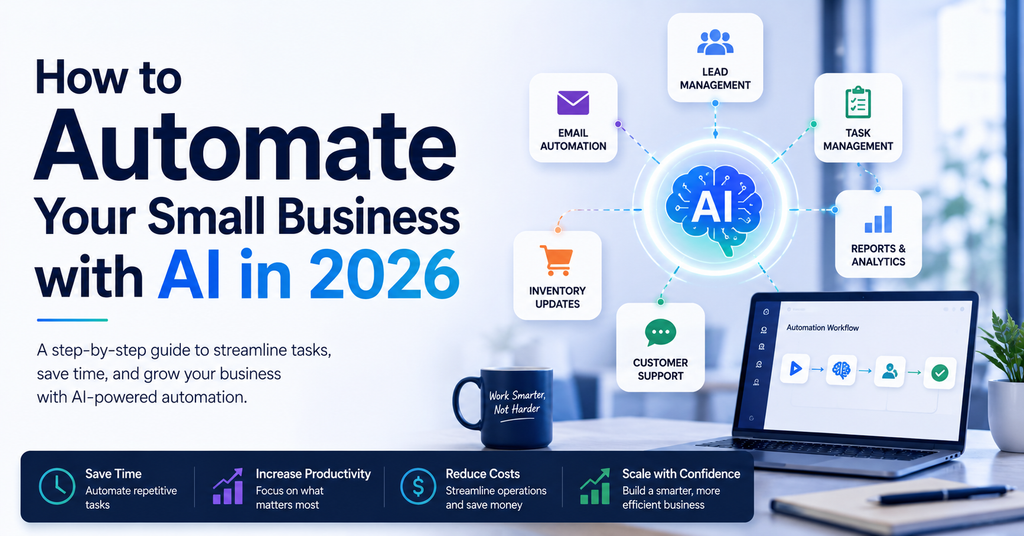
Table of Contents
What Does AI Automation Mean for a Small Business?
Traditional business automation follows predefined rules.
For example:
A customer fills out a contact form → the information is added to a CRM → a salesperson receives a notification.
AI adds another layer.
Instead of simply moving information between applications, AI can help interpret that information.
It can summarize an email, classify a customer request, extract information from a document, draft a response, analyze feedback, or determine which workflow should run next.
That creates three broad levels of automation:
Rule-based automation handles predictable tasks.
AI-assisted automation uses AI inside a structured workflow.
AI agents can work toward a goal and make certain decisions based on context.
Small businesses do not need to jump immediately to the third level. In many cases, simple automation provides the fastest and safest return.
Step 1: Find the Repetitive Work
Before choosing an AI tool, look at how your business actually operates.
For one week, pay attention to tasks that employees repeatedly perform.
Look for activities such as:
Copying information between applications
Entering leads into a CRM
Sending routine follow-up emails
Creating recurring reports
Sorting customer inquiries
Summarizing meetings
Updating spreadsheets
Organizing documents
Creating repetitive marketing content
Assigning internal tasks
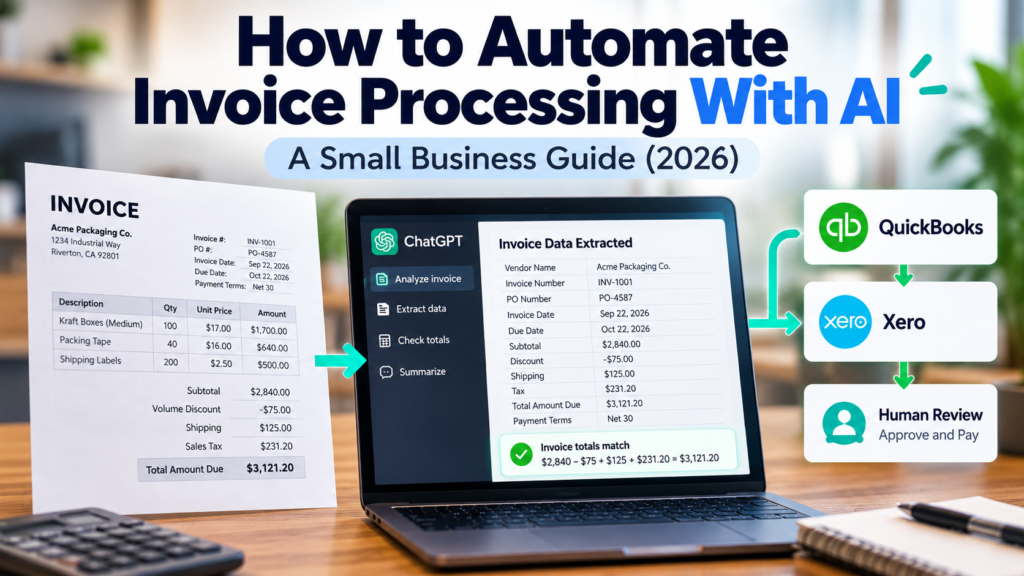
Invoice processing is another good example of structured, repetitive work. AI can extract invoice details, check calculations, and flag missing or inconsistent information before a person reviews the result. In our hands-on test, we walked through how to automate invoice processing with AI while keeping payment approval under human control.
The best automation opportunities usually share three characteristics:
They happen frequently.
They follow a reasonably consistent process.
They consume time without requiring much human judgment.
A five-minute task may not sound important. But if five employees perform that task ten times every day, the cost adds up quickly.
Step 2: Choose One Workflow — Not Ten
One of the easiest ways to fail with automation is trying to automate the entire company at once.
Instead, choose one workflow.
For example, imagine your business receives leads through a website form.
Today, an employee may need to open the form submission, copy the customer’s information into a CRM, notify a salesperson, create a follow-up task, and record the lead in a spreadsheet.
That process is an excellent automation candidate because it is repetitive and predictable.
Your first automation might look like this:
Website form → CRM → sales notification → follow-up task
Once that workflow works reliably, you can add AI.
For example:
Website form → AI analyzes inquiry → CRM → assign correct salesperson → create follow-up task
Start simple. Add intelligence only when it provides a clear benefit.
Step 3: Choose the Right Automation Platform
Different businesses need different levels of automation.
For many small businesses, tools such as Zapier or Make provide an accessible starting point.
Zapier is particularly useful when you want to connect common business applications without extensive technical knowledge.
Make offers a more visual environment that can be useful when workflows have multiple branches or more complicated logic.
n8n can provide greater flexibility for technically experienced teams.
Microsoft Power Automate can be a natural option for companies already operating heavily within Microsoft 365.
For a detailed comparison, see our guide to the best AI automation tools for small business in 2026.
The important point is not to choose the platform with the longest feature list.
Choose the platform your team can realistically implement, understand, and maintain.
Step 4: Automate Lead Management
Lead management is one of the best places for a small business to begin.
A potential customer submits a form, sends an email, schedules a consultation, or responds to an advertisement.
Without automation, someone has to move that information into the appropriate systems.
With automation, a new lead can automatically trigger several actions.
For example:
New lead received
↓
Contact created in CRM
↓
AI categorizes the inquiry
↓
Lead assigned to the appropriate salesperson
↓
Follow-up task created
↓
Team notified
AI can be particularly useful when leads contain free-form text.
Instead of requiring an employee to read every inquiry before routing it, an AI step can help identify whether the person is asking about sales, support, wholesale opportunities, partnerships, or something else.
Human review can still remain part of the process.
The goal is to remove unnecessary sorting and data entry.
Step 5: Automate Customer Service Triage
Customer service often contains a mixture of simple and complicated requests.
Some questions may be routine:
Where is my order?
How do I reset my password?
Can I change my appointment?
What is your return policy?
Other situations require judgment, empathy, negotiation, or management involvement.
AI automation can help separate the two.
An incoming message can be analyzed and categorized before being sent to the right person or system.
For example:
Customer message → AI classification → billing / sales / support / urgent escalation
AI may also prepare a draft response for an employee to review.
This can reduce response time without forcing the business to completely automate customer communication.
That distinction matters.
The objective should be faster and more consistent service, not removing humans from every customer interaction.
Step 6: Automate Email and Follow-Ups
Email consumes a surprising amount of time in many small businesses.
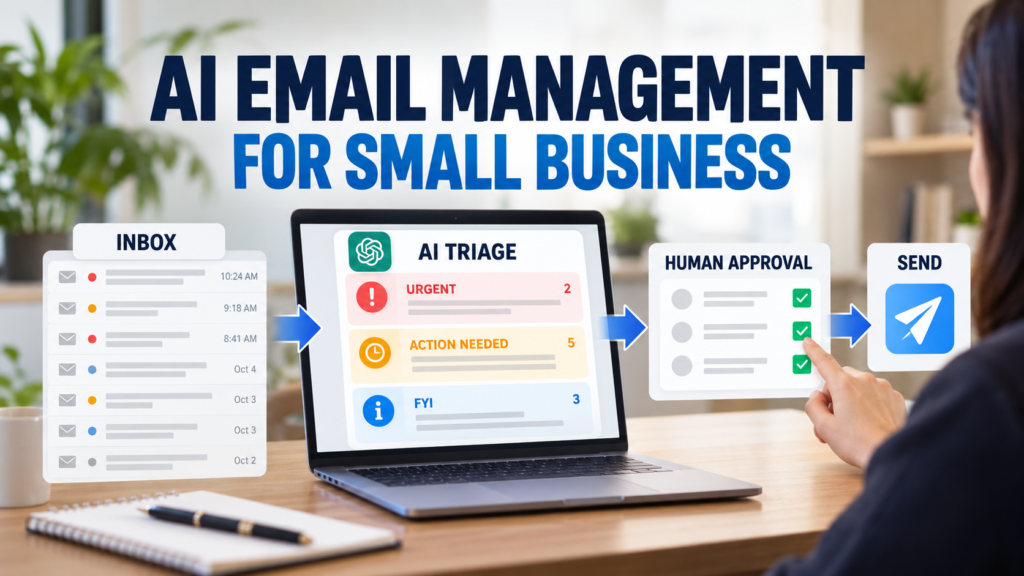
AI can help summarize long email threads, identify action items, categorize messages, and prepare draft responses.
Automation can handle the next step.
For example, when a qualified sales lead arrives, the system could create a CRM record, assign an owner, schedule a follow-up task, and prepare a personalized draft.
For existing customers, automation can remind employees when a conversation has gone unanswered for several days.
The best email automations help prevent things from being forgotten.
They should not turn your company into a machine that sends generic AI-generated messages to everyone.
Build One Real AI Automation: A Practical Example
It is easier to understand AI automation when you see how the pieces work together in a real business process.
Consider a small business that receives inquiries through its website. A potential customer asks about a service, receives pricing, but does not respond for three days.
Instead of relying on an employee to remember every follow-up, the business could build a simple AI-assisted workflow.
Website Inquiry → CRM → Pricing Sent → Wait 3 Days → Check Reply Status → AI Drafts Follow-Up → Human Reviews → Send
Here is what happens at each stage.
1. Capture the inquiry
When a potential customer submits the website form, their information is automatically added to the CRM or lead-tracking system.
Useful information might include the customer’s name, company, service requested, original inquiry, and the problem they are trying to solve.
2. Record the pricing conversation
After an employee sends pricing or a proposal, the CRM records the date of the last contact and updates the lead status.
This creates a clear trigger for the next step.
3. Wait three days and check for a response
The automation waits three days and checks whether the customer has replied.
If the customer has responded, the automated follow-up stops and the appropriate employee is notified.
If there has been no response, the workflow continues.
4. Let AI prepare a personalized follow-up
Instead of generating a generic “just following up” email, AI can use the available customer context to prepare a more relevant draft.
For example, it can reference the customer’s original problem, the service they asked about, and the pricing or package that was previously discussed.
The objective is not to make the email sound more automated. It is to give the employee a better first draft.
5. Require human approval before sending
This is an important control point.
AI Draft → Human Review → Send
An employee should verify the customer’s information, pricing, promises, tone, and recommended next step before the message is sent.
For this type of workflow, AI can prepare the communication without being given authority to send customer-facing messages automatically.
6. Decide what happens next
A useful automation should also define what happens after the follow-up.
If the customer replies, the automation stops and the lead owner takes over the conversation.
If the customer still does not respond, the system might create another follow-up task, schedule a later reminder, or move the lead into a defined nurture status.
For a deeper walkthrough of this specific use case, see our guide on how to automate customer follow-ups with AI for small business.
The exact rule depends on the business and its sales process.
What Is Actually Being Automated?
In this example, automation handles the repetitive coordination:
Automatically handled: tracking the last contact date, waiting three days, checking lead status, gathering customer context, creating the follow-up task, and preparing the draft.
AI-assisted: interpreting the original inquiry and using the available context to draft a personalized follow-up.
Human-controlled: verifying the message and deciding whether it should actually be sent.
That distinction is important.
A practical small business automation does not have to remove people from the workflow. Often, the better design is to let automation handle the repetitive steps while keeping human judgment at the point where a mistake could affect a customer relationship.
Step 7: Automate Meetings and Action Items
Meetings create work before, during, and after the actual conversation.
Someone may need to prepare information beforehand, take notes during the meeting, summarize what happened, identify decisions, and assign follow-up tasks.
AI can assist with several of these steps.
A meeting transcript can be converted into:
A short summary
Key decisions
Open questions
Action items
Responsible team members
Deadlines
Those action items can then be added to a project management system.
For a team that holds several meetings every week, automating the administrative work surrounding meetings can save meaningful time.
Step 8: Automate Reports
Many businesses repeatedly create the same reports.
Sales reports.
Marketing reports.
Inventory reports.
Customer service reports.
Weekly management reports.
The numbers change, but the process often remains nearly identical.
This makes reporting a strong automation candidate.
Information can be collected from different systems, organized automatically, and summarized before being presented to management.
AI can also help explain what changed.
Instead of simply showing that sales declined, an AI-assisted workflow might identify which product category, location, customer group, or period contributed most to the change.
However, important business reports should still be verified against the underlying data.
AI-generated explanations can be useful, but they should not replace accurate source data.
Step 9: Automate Marketing Without Automating Your Brand
Marketing is one of the most obvious uses of generative AI.
Small businesses can use AI to help create:
Blog outlines
Social media ideas
Email drafts
Product descriptions
Ad variations
Research summaries
Content repurposing
But there is a major difference between using AI to accelerate marketing and allowing AI to become your entire marketing department.
A brand still needs a point of view.
Customers can recognize generic content.
Use AI to reduce repetitive production work, generate options, organize research, and accelerate first drafts.
Then apply human judgment.
Your expertise, customer knowledge, examples, opinions, and experience are what make the final content valuable.
Step 10: Connect AI to Your Existing Business Tools
AI automation becomes much more useful when it works with the systems your company already uses.
That might include:
Your CRM
Google Workspace or Microsoft 365
Accounting software
Ecommerce platform
Project management software
Customer support system
Spreadsheets
Forms
Cloud storage
Marketing applications
This is why integrations matter so much when choosing an automation platform.
A sophisticated AI tool that cannot communicate with the applications your employees actually use may create more work instead of less.
Before subscribing to an automation platform, make a list of your most important business applications and verify the available integrations.
5 Ways to Automate Small Business with AI
If you are wondering where to begin, these five workflows are practical starting points.
1. New Lead Workflow
Trigger: New website inquiry
Automation: Create CRM contact → categorize lead → assign salesperson → create follow-up task → notify team
2. Customer Support Workflow
Trigger: New customer message
Automation: AI categorizes request → route to correct department → summarize issue → prepare draft response
3. Meeting Workflow
Trigger: Meeting ends
Automation: Generate summary → extract action items → create tasks → send recap
4. Review Monitoring Workflow
Trigger: New customer review
Automation: Analyze sentiment → categorize feedback → notify manager if negative → record recurring themes
5. Weekly Business Report
Trigger: Every Monday morning
Automation: Collect key metrics → organize data → summarize major changes → send report to management
You do not need all five.
Choose the one that removes the most repetitive work from your business today.
Where AI Automation Can Go Wrong
Automation is powerful precisely because it can perform actions without someone manually completing every step.
That also creates risk.
A poorly designed workflow can send the wrong email, update the wrong record, duplicate information, misclassify a customer, or make an incorrect AI-generated assumption.
That is why important workflows need safeguards.
Keep Human Approval for High-Impact Decisions
Do not automatically approve refunds, payments, contracts, hiring decisions, major customer commitments, or other high-impact actions simply because an AI system recommends them.
Protect Sensitive Information
Understand what information is being sent to each AI or automation provider.
Customer information, employee information, financial records, confidential documents, and proprietary business data deserve additional care.
Test Before Going Live
Run sample data through the workflow.
Test normal situations and unusual situations.
Ask:
What happens if information is missing?
What happens if the AI misunderstands the request?
What happens if an application is temporarily unavailable?
What happens if the workflow runs twice?
Good automation includes a plan for failure.
How to Measure Whether Automation Is Actually Working
Do not measure automation by the number of workflows you build.
Measure business outcomes.
Before automating a process, estimate:
How many times does this task happen each week?
How many minutes does each occurrence require?
How many employees touch the process?
How often do mistakes happen?
How long does the customer wait?
Then compare those numbers after automation.
For example, suppose a process takes 10 minutes and occurs 100 times per month.
That is approximately 1,000 minutes — more than 16 hours of work.
If automation reduces the manual portion to two minutes, the business has potentially recovered more than 13 hours each month from one workflow.
That is a meaningful result.
How Much Should a Small Business Automate?
There is no ideal percentage.
The objective is not to automate the maximum possible amount of work.
The objective is to automate the right work.
Repetitive, predictable, low-risk processes are usually the best candidates.
Tasks involving relationships, negotiation, unusual situations, leadership, creativity, or significant judgment often benefit from greater human involvement.
A good automation strategy makes employees more effective rather than simply removing them from processes.
A Simple 30-Day AI Automation Plan
If you want to learn how to automate small business with AI without turning it into a major technology project, use a simple four-week approach.
Week 1: Identify
List repetitive tasks.
Estimate how much time each one consumes.
Choose one process.
Week 2: Build
Map the workflow from beginning to end.
Choose an automation platform.
Build the simplest working version.
Week 3: Test
Run real-world examples through the automation.
Look for mistakes, unusual cases, duplicate actions, and missing information.
Keep human approval where necessary.
Week 4: Measure
Compare the process before and after automation.
Did it save time?
Did errors decrease?
Did customers receive faster responses?
Was the workflow reliable?
If the answer is yes, move to the next process.
This approach creates an automation system gradually instead of turning automation itself into another overwhelming project.
Frequently Asked Questions
How can I automate my small business with AI?
Start by identifying one repetitive process that happens frequently. Map the steps, choose an automation platform, automate the predictable actions, and use AI only where interpretation, summarization, classification, or generation adds value.
Do I need coding skills to automate my business?
Not necessarily. Many modern automation platforms offer no-code or low-code workflow builders. More sophisticated integrations may require technical knowledge, but useful small business automations can often be created without traditional programming.
What should a small business automate first?
Lead management, repetitive data entry, customer inquiry routing, meeting follow-ups, recurring reports, and routine notifications are often good starting points.
Is AI automation expensive?
It can be inexpensive when used selectively. Costs depend on the platforms, workflow volume, AI usage, and applications involved. Start with one workflow and calculate whether the time saved justifies the ongoing cost.
Can AI completely automate a small business?
Technically, more processes can be automated than ever before, but complete automation is usually not the right goal. Customers, employees, strategy, exceptions, negotiations, and important decisions still benefit from human judgment.
Final Thoughts
Understanding how to automate small business with AI starts with identifying repetitive work and building simple, reliable workflows.
Start with the repetitive work.
Build one reliable workflow.
Measure the result.
Then improve it.
AI should not make a small business more complicated. Used correctly, it should remove unnecessary work and give owners and employees more time for the activities that actually require people.
The businesses that benefit most from AI automation will not necessarily be the ones with the most AI tools.
They will be the ones that identify the right problems and automate them carefully.