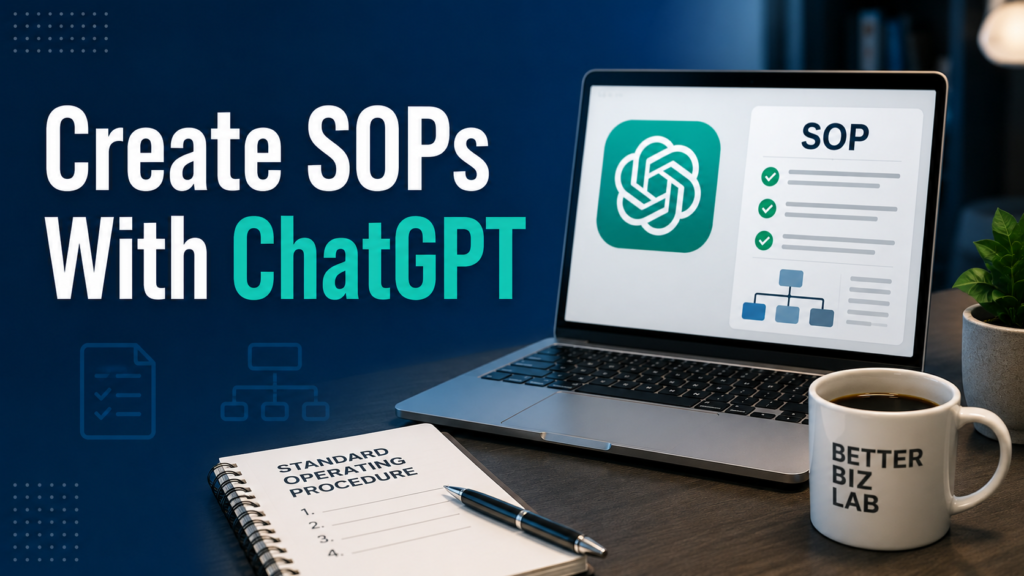
Creating a ChatGPT SOP can make documenting repeatable business processes much faster. Standard operating procedures (SOPs) are essential for growing businesses, but few business owners enjoy creating them.
You know the process. Your team knows the process. The problem is that much of that knowledge lives in someone’s head, scattered notes, old emails, or a quick explanation given to a new employee.
That works until the business grows.
When more people become involved, undocumented processes can lead to inconsistent work, repeated questions, missed steps, and unnecessary training time.
If you’re still getting familiar with using AI in everyday operations, start with our guide on how to use ChatGPT for small business.
But the best approach is not to ask ChatGPT, “Write me an SOP.”
A better approach is to give it the raw knowledge of how the work is actually done, have it organize that knowledge into a structured SOP, and then review the result before your team uses it.
This guide walks through that process step by step.
What Is an SOP?
A standard operating procedure, or SOP, is a documented set of instructions explaining how a recurring task should be completed.
For a small business, that might include processes such as:
Customer complaint handling
New employee onboarding
Order processing
Inventory receiving
Weekly reporting
Invoice approval
Social media publishing
Customer follow-up
Opening or closing procedures
The goal is not to document every tiny action in your company.
A useful SOP should make an important recurring process easier for another person to perform correctly without constantly asking someone else what to do next.
Why Use ChatGPT to Create SOPs?
The difficult part of SOP creation is often not understanding the process.
You already know how the work gets done.
The difficult part is turning that knowledge into a document that someone else can easily follow.
This is where ChatGPT can be useful.
You can give ChatGPT rough notes, steps, responsibilities, exceptions, and rules. It can then help organize that information into a consistent structure.
Instead of starting with a blank document, you start with a draft that you can review and improve.
That distinction matters.
ChatGPT should help document your process — not invent your process.
Step 1: Choose One Repeatable Business Process
Start small.
Do not begin by asking ChatGPT to document your entire company.
Choose one process that happens repeatedly and would benefit from clearer instructions.
A good candidate usually has at least one of these characteristics:
Employees ask questions about it repeatedly.
Different employees perform it differently.
Mistakes are expensive or time-consuming.
Training someone new takes too long.
The process depends too heavily on one person’s knowledge.
For this guide, we’ll use a hypothetical small-business example:
Processing a customer return request.
The same workflow can be adapted to many other business processes.
Step 2: Give ChatGPT the Raw Process
Before asking ChatGPT to write anything, collect the information it needs.
Don’t worry about making your notes look professional.
For example:
Customers email customer service with their order number and reason for return. The employee checks whether the purchase was made within 30 days. Final-sale items cannot be returned. If eligible, the employee sends return instructions. Once the warehouse confirms the product was received, customer service processes the refund. Damaged products should be escalated to the customer service manager.
That is enough to start.
The information is messy, but it contains the actual business logic.
Now ChatGPT can help organize it.
Step 3: Use a Structured SOP Prompt
Instead of saying:
Write an SOP for customer returns.
Give ChatGPT a role, context, instructions, constraints, and desired output.
Copy This Prompt
You are helping a small business document an internal operating procedure.
Turn the process information below into a clear Standard Operating Procedure (SOP) that a new employee can follow.
Process: [PROCESS NAME]
Department: [DEPARTMENT]
Person responsible: [ROLE]
Raw process notes:
[PASTE YOUR ACTUAL PROCESS HERE]Create the SOP using this structure:
- Purpose
- Scope
- Person Responsible
- Tools or Information Required
- Step-by-Step Procedure
- Exceptions and Escalation Rules
- Final Quality Check
Use simple, direct language.
Do not invent company policies, approval limits, deadlines, software, or responsibilities that are not included in my notes.
If important information is missing, list your questions under “Information Needed” instead of making assumptions.
For more ready-to-use examples, see our 15 practical ChatGPT prompts for small business owners.
BetterBizLab Tip
That final instruction is important.
When information is missing, you want ChatGPT to ask for clarification instead of quietly creating a business rule that doesn’t exist.
Step 4: Review the First Draft for Made-Up Assumptions
This is where human review becomes essential.
Suppose ChatGPT produces a clean return SOP but adds:
“Refunds over $500 require manager approval.”
That may sound reasonable.
But if your company never established that rule, it does not belong in the SOP.
AI-generated business documents can sometimes turn plausible assumptions into authoritative-sounding instructions.
Review the draft specifically for:
Incorrect deadlines
Invented approval requirements
Wrong employee responsibilities
Software your company does not use
Missing exceptions
Steps appearing in the wrong order
Policies that were never provided
Don’t just ask, “Does this look professional?”
Ask:
“Is this how our business actually works?”
Step 5: Ask ChatGPT to Find Gaps
Once the first draft looks accurate, use ChatGPT again — this time as a reviewer.
Copy This Prompt
Review this SOP as if you were a new employee performing the process for the first time.
Do not rewrite it yet.
Identify:
- unclear instructions
- missing decision points
- undefined responsibilities
- missing exceptions
- steps that could be misunderstood
- information a new employee would probably need to ask a manager
Do not invent the answers.
Give me a list of questions I should answer before finalizing the SOP.
This is one of the most useful parts of the workflow.
Instead of asking AI to make the SOP longer, you’re asking it to identify where your existing process documentation is weak.
Step 6: Add the Missing Business Knowledge
Now answer the relevant questions yourself.
For example, ChatGPT might ask:
What happens if the customer cannot provide an order number?
Who pays return shipping?
How quickly should the employee respond?
What happens when a returned item arrives damaged?
Who has authority to approve an exception?
These questions reveal something important.
Sometimes the problem isn’t that your SOP is poorly written.
The underlying business process itself may not be fully defined.
That’s useful information for a business owner or manager.
Decide the missing rules internally, then add them to the SOP.
Step 7: Create the Final Employee Version
Once the process is accurate and the gaps have been resolved, ask ChatGPT to produce a clean final version.
Copy This Prompt
Create the final employee-ready version of this SOP using the confirmed information below.
Keep every approved business rule intact.
Make the instructions easy to scan and follow.
Use numbered steps for actions.
Clearly label exceptions, escalation points, and required approvals.
Do not add any new policies or assumptions.
At the top include:
SOP Name
Department
Process Owner
Effective Date
Last UpdatedAt the bottom include:
Final Checklist
Here is the approved information:
[PASTE YOUR REVIEWED SOP AND CORRECTIONS]
Now you have something much closer to a document that can actually be used for training and operations.
Step 8: Turn the SOP Into a Quick Checklist
A full SOP is useful for training and reference.
But an experienced employee may not want to read the entire document every time the task is performed.
Create a shorter operational checklist from the approved SOP.
Copy This Prompt
Turn the approved SOP below into a one-page operational checklist.
Include only the critical actions, decision points, approvals, and final checks.
Do not remove any step that could cause an operational, customer-service, financial, or compliance problem if missed.
Do not introduce new instructions.
[PASTE APPROVED SOP]
You now have two useful documents:
The SOP explains the process.
The checklist helps employees execute it consistently.
Step 9: Test the SOP With Someone Who Doesn’t Own the Process
This step should not be delegated to ChatGPT.
Give the SOP to someone who is less familiar with the process and ask them to follow it.
Watch for questions such as:
“What does this mean?”
“Where do I find this?”
“Who approves this?”
“What happens if this doesn’t match?”
“Which system do I use?”
Every question is potential evidence that the SOP needs improvement.
The real test of an SOP isn’t how polished it looks.
It’s whether another person can successfully perform the process.
Step 10: Keep Your SOPs Updated
Business processes change.
Software changes.
Employees change.
Policies change.
Approval rules change.
An SOP that was accurate six months ago may eventually become outdated.
Every SOP should therefore include at least:
Process Owner
Effective Date
Last Updated
That makes it easier to identify who is responsible for maintaining the document and when it was last reviewed.
ChatGPT can also help compare an old SOP with a new process description.
Copy This Prompt
Compare the existing SOP with the updated process notes below.
Do not rewrite the SOP yet.
Show me:
- What has changed
- Which existing steps are now outdated
- Which new steps may need to be added
- Which sections require human confirmation
Existing SOP:
[PASTE SOP]Updated process:
[PASTE NEW INFORMATION]
This makes updates easier without blindly replacing the existing procedure.
A Simple ChatGPT SOP Workflow
The entire process can be summarized like this:
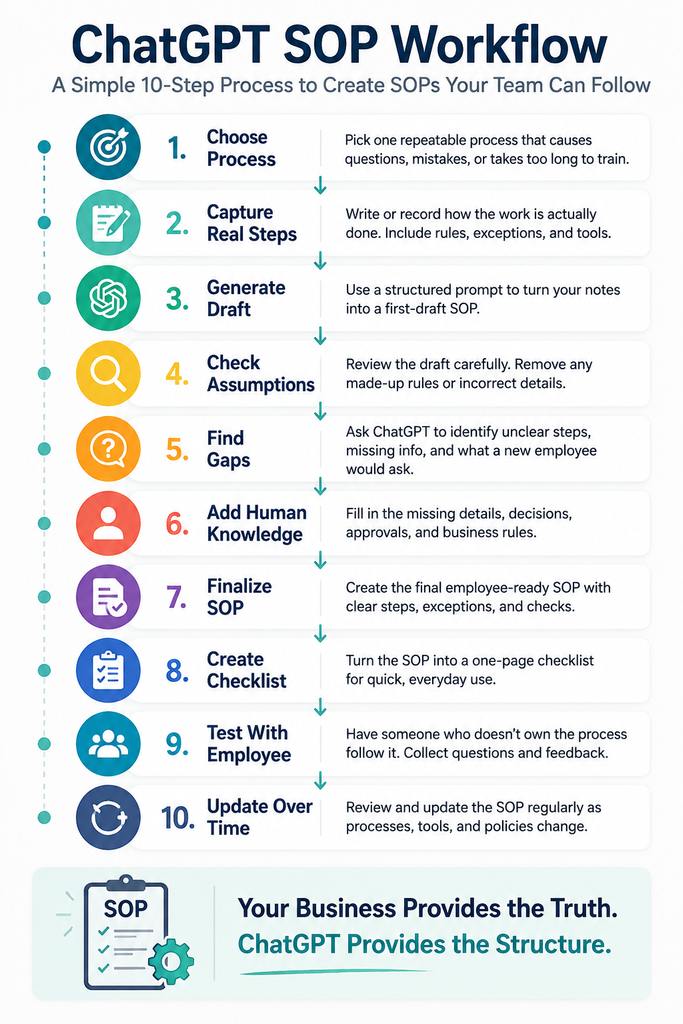
The most important part happens in the middle.
Human knowledge and review should sit between AI drafting and operational use.
ChatGPT can organize information extremely quickly.
But the business still owns the process.
What Information Should You Avoid Putting Into ChatGPT?
Be thoughtful about the information you paste into any AI tool.
An SOP draft generally does not need sensitive information such as passwords, private customer information, payment-card data, confidential employee records, API keys, or other credentials.
Whenever possible, replace unnecessary sensitive details with placeholders.
For example:
[CUSTOMER NAME]
[ORDER NUMBER]
[INTERNAL SYSTEM]
[MANAGER EMAIL]
For confidential or regulated information, review your company’s policies and the AI product’s current data/privacy controls before using it.
Where ChatGPT Works Well for SOP Creation
ChatGPT is particularly useful when the process already exists but the documentation doesn’t.
It can help:
Organize messy process notes
Create consistent document structures
Simplify complicated instructions
Identify unclear steps
Generate questions about missing information
Convert approved procedures into checklists
Update formatting after a process changes
Those are documentation tasks.
They are different from allowing AI to decide how the business should operate.
SOP creation can also become part of a broader small business AI automation strategy, especially when documentation connects with repeatable workflows.
Where You Should Not Rely on ChatGPT Alone
Extra review is important when an SOP involves areas such as:
Legal obligations
Employee safety
Financial controls
Payroll
Taxes
Cybersecurity
Sensitive customer information
Regulated activities
AI can help organize the documentation, but appropriate qualified review may still be necessary before employees rely on the procedure.
The Biggest Mistake: Letting AI Invent the Process
The easiest way to create a bad AI-generated SOP is also the easiest prompt to write:
Create a complete SOP for my company.
ChatGPT may produce something polished.
That doesn’t mean it’s accurate.
A better principle is:
Your business provides the truth. ChatGPT provides the structure.
That is the workflow that makes AI useful without handing over operational judgment.
If you’re exploring tools beyond ChatGPT, see our guide to the best AI automation tools for small business.
Final Thoughts
Creating SOPs is a perfect example of where AI can help a small business without needing complicated automation.
You don’t need ChatGPT to run the company for you.
You need it to help turn knowledge already inside your business into clearer, more usable documentation.
Start with one repetitive process.
Capture how the work is actually done.
Use ChatGPT to organize it.
Then have a human verify the result before anyone relies on it.
Once that workflow becomes familiar, you can repeat it across other parts of the business and gradually build a more organized operating system.