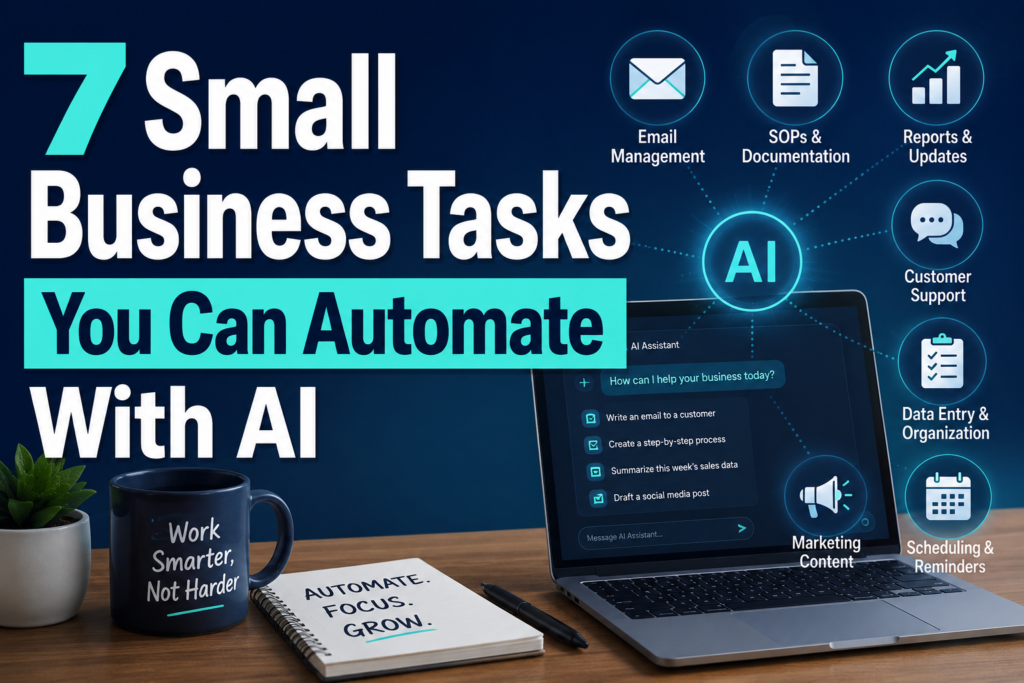
Small business tasks you can automate with AI are usually repetitive, time-consuming, and structured enough for AI to assist without taking important decisions out of human hands. The challenge is knowing which tasks actually fit that description.
That question is different from asking how automation works or which platform to buy. You can understand the theory of AI automation and still have no idea whether it’s worth automating your Monday morning report, your customer emails, or your social media calendar.
This guide skips the platform comparisons and the step-by-step workflow building. Instead, it looks at seven specific categories of small business work and asks a simpler question for each one: is this actually a good candidate for AI help, or not?
Which Small Business Tasks Can You Automate With AI?
If you’ve read our guide on how to automate a small business with AI, you already know the general process: find repetitive work, choose one workflow, pick a platform, build it, test it. That guide assumes you already know which task you’re automating.
This one is meant to come first. Before you touch a workflow builder or compare automation platforms, it helps to know which parts of your business are realistic candidates for AI assistance — and which ones you should leave alone, at least for now.
Not every task belongs on this list. Anything involving legal decisions, financial approvals, hiring, firing, pricing changes, or genuine customer relationship-building isn’t here on purpose. Those still need a person thinking it through.
How We Chose These Seven Tasks
Each task on this list shares a few characteristics: it happens often, it follows a reasonably consistent pattern, it consumes real time, and — importantly — a human can still review the output before anything important happens. That last part matters more than it sounds. AI assistance works best when it produces a draft, a summary, or a first pass, and a person still decides what actually goes out the door.
1. Customer and Business Emails
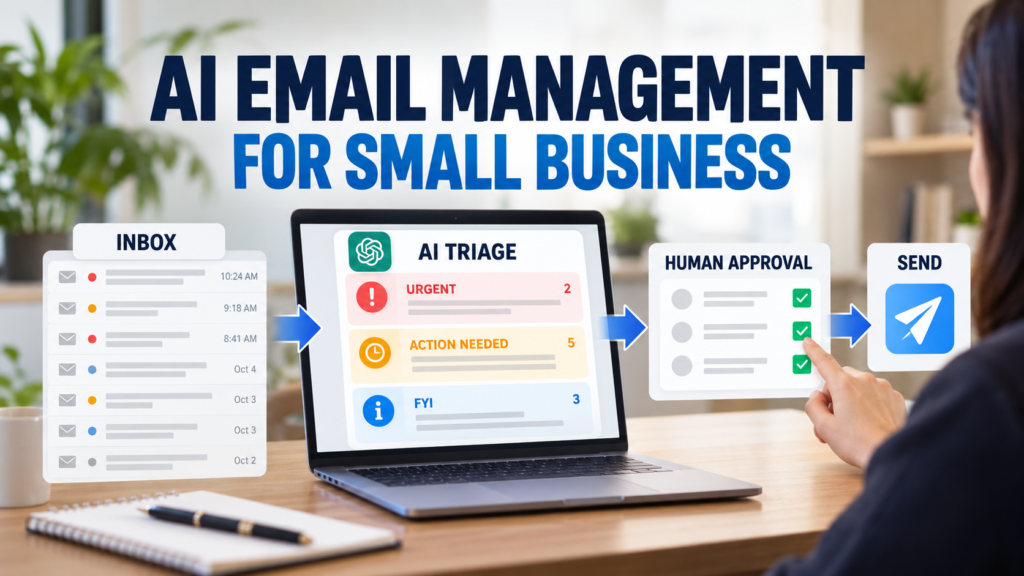
What can realistically be automated: the first draft. Turning a rough note, a voice memo transcript, or a half-finished thought into a clear, professional email is one of the most reliable uses of AI for a small business today.
Why it’s a good candidate: most business emails follow a recognizable pattern — acknowledge the situation, provide the relevant information, state next steps. That’s exactly the kind of structure AI is good at producing quickly, as long as you supply the actual facts.
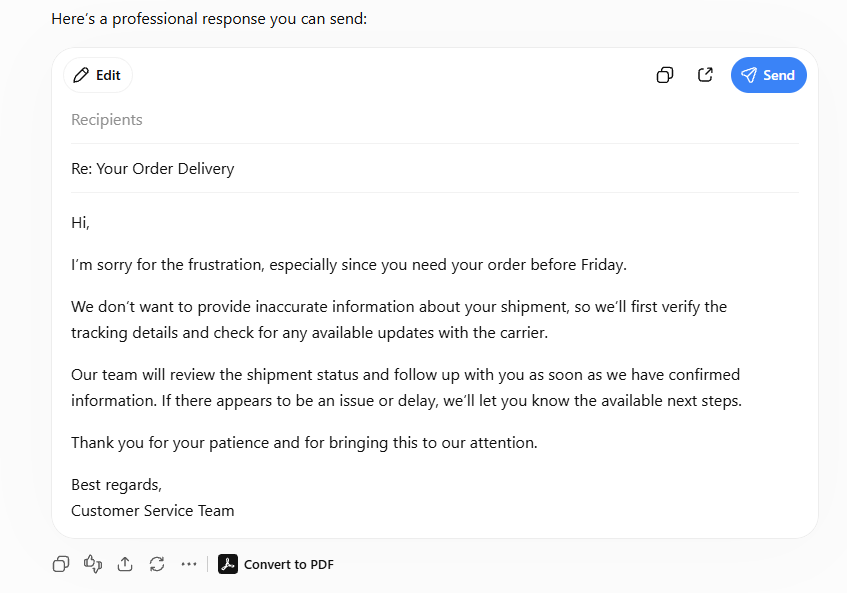
A small business example: imagine a customer emails asking why their order is late. You know the answer — a supplier delay pushed things back three days — but you don’t have time to write a polished reply between calls. You jot down the bare facts and ask AI to turn them into a clean, professional response you can read over and send.
Example output from ChatGPT using the email prompt above. A human should still verify the shipment status before sending.
Tool category: a general-purpose AI assistant such as ChatGPT or Claude is enough here. You don’t need specialized software for this one.
What should not be automated: sending the email without reading it first. Also avoid letting AI invent discounts, refund amounts, delivery dates, or policy exceptions you didn’t actually approve.
What still needs human review: every email that mentions money, a promise, a deadline, or anything you’d regret if it turned out to be wrong.
Copy-ready prompt:
You are helping me turn a rough note into a professional business email.
Audience: [WHO IS RECEIVING THIS EMAIL]
Situation: [WHAT HAPPENED OR WHAT THEY ASKED]
What I actually want to say, in my own words:
[PASTE YOUR ROUGH NOTE OR VOICE-TO-TEXT DRAFT]
Turn this into a clear, professional email. Keep my original meaning and any specific facts, numbers, or commitments exactly as I wrote them — do not add promises, discounts, deadlines, or policies I did not mention. Keep it a reasonable length and end with a clear next step.
2. Customer Service and FAQ Responses
Most small businesses answer the same handful of questions constantly: return policies, shipping timelines, appointment changes, pricing basics. AI can realistically help draft first-response answers to these repeated questions, and can help turn an approved policy into plain-language FAQ content for your website or help desk.
This is a good candidate specifically because the underlying facts don’t change often — your return window, your hours, your standard process. AI isn’t inventing policy here; it’s translating policy you already approved into clearer language, faster.
It’s a poor candidate the moment a request stops being routine. A customer with a genuine complaint, an unusual circumstance, or a request for an exception needs a person who can use judgment — not a templated answer.
A small business example: you have a written return policy that’s technically accurate but reads like a legal document. Rather than rewriting your help center by hand, you could give an AI assistant the approved policy text and ask it to turn it into a few short, friendly FAQ answers — then check that nothing was added that isn’t actually true.
Copy-ready prompt:
Turn the approved policy below into 3 short customer-facing FAQ answers.
Approved policy: [PASTE YOUR ACTUAL POLICY TEXT]
Write each answer in plain, friendly language a customer would actually understand. Do not add exceptions, timelines, or conditions that are not stated in the policy above. If the policy doesn’t clearly answer a likely follow-up question, list that as a gap instead of guessing.
Do not automate the parts that involve upset customers, refund exceptions, or anything where the “right answer” depends on the specific situation. AI can prepare a draft response for an employee to review in those cases, but it shouldn’t be the one deciding how to handle it.
3. Social Media Content Workflows
Coming up with something to post every day is one of the more exhausting parts of running a small business, and it’s also one of the more realistic places to bring in AI help — for the repetitive parts, not the entire job.
Realistic use: brainstorming post ideas, drafting captions from a topic you give it, and repurposing one piece of content — a blog post, a customer question, an announcement — into a few different formats.
Why this works: the volume of content most small businesses need is higher than the amount of genuinely new thinking required for each post. AI can multiply your ideas without you starting from a blank page every time.
Where it goes wrong: if AI becomes the only source of your brand’s voice, your content starts to sound like everyone else’s. Customers can tell the difference between a business that sounds like a real person and one that sounds like a content mill.
Treat AI here as a drafting assistant, not a publisher. Someone should still read every post before it goes live, especially anything that mentions pricing, availability, or specific claims about your product. For copy-ready social content prompts and a full content calendar workflow, our ChatGPT prompts for small business guide covers this in more depth.
4. Meeting Notes and Follow-Up Tasks
Meetings generate a predictable kind of paperwork afterward: who agreed to do what, by when. That makes meeting follow-up one of the more dependable automation candidates on this list — messy notes or a transcript go in, a summary and a list of action items come out.
The reason this works well is structural. A meeting either produced decisions and action items or it didn’t, and AI is reasonably good at pulling that structure out of a page of scattered notes.
The part that shouldn’t be automated is deciding what was actually agreed to. If your notes are ambiguous about who owns a task or when it’s due, the right move is for AI to flag that as unclear — not guess an owner or a deadline. A completed task list only helps if it’s accurate, and a wrong assumption here can quietly derail a project. Our 15 ChatGPT prompts for small business owners includes a ready-to-use prompt specifically for turning meeting notes into action items, with instructions to label anything unclear as “TBD” instead of inventing it.
5. SOP and Process Documentation
What can realistically be automated: the writing part. If you already know how a process works — how you handle a return, onboard a new hire, or process an order — AI can help turn that knowledge into a structured, readable document much faster than starting from a blank page.
Why it’s a strong candidate: most small business processes exist only in someone’s head. The bottleneck isn’t understanding the process — it’s finding time to write it down clearly. That’s a documentation problem, and documentation is exactly what AI is good at organizing.
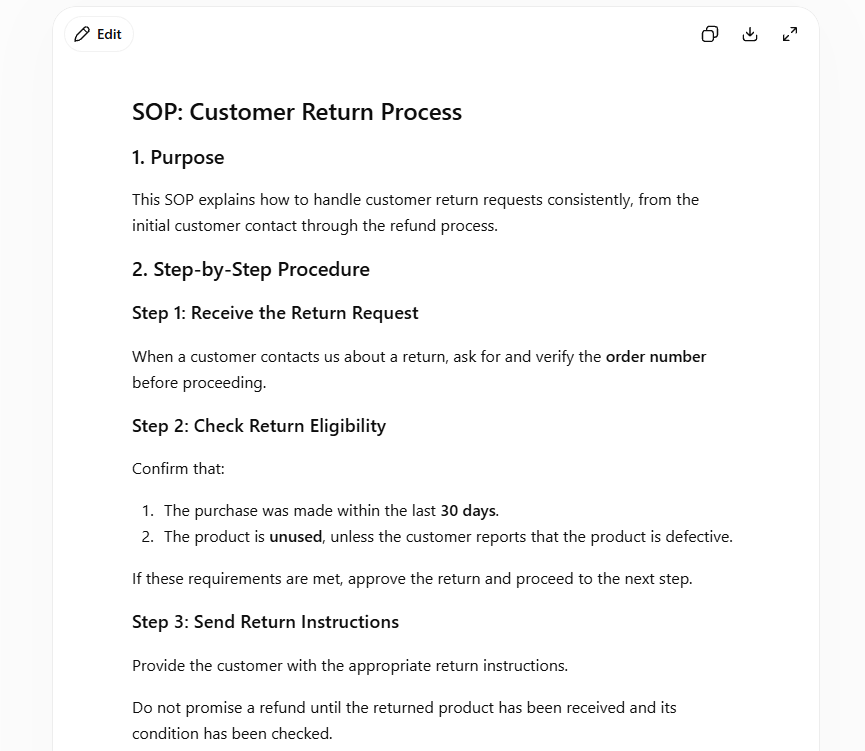
A small business example: you jot down, in no particular order, how your team currently handles a customer return — check the order, confirm the reason, decide whether to refund or exchange, update inventory. AI can take those rough notes and turn them into a properly structured SOP with clear steps, responsibilities, and exceptions.
Example output showing how AI can turn rough process notes into a structured SOP for employee use.
What should not be automated: the actual business rules. AI should never invent an approval threshold, a deadline, or a policy that doesn’t already exist in your business — even if the invented version sounds reasonable.
What still needs human review: every SOP should be checked by someone who actually knows the process, specifically looking for assumptions the AI added that were never true in the first place.
We cover this exact workflow — including the full sequence of prompts, a review step for catching invented policies, and how to turn an approved SOP into a one-page checklist — in our dedicated guide to creating SOPs with ChatGPT. If you’re building your first one, that guide is the better starting point; this section is here to help you decide whether SOP writing is worth automating in the first place.
6. Research and Information Summarization
Small business owners end up doing a surprising amount of reading: competitor websites, industry articles, long documents, customer feedback. AI can realistically help organize and summarize information you’ve already gathered — turning scattered notes into a clean comparison, or a long document into a short summary of what matters.
This is a good candidate when you’re the one supplying the source material. Give an AI assistant your own notes on three competitors and ask it to organize them into a comparison table, and you’ll likely save real time.
It’s a poor candidate the moment you start treating the AI’s own background knowledge as current fact. AI models can be confidently wrong about pricing, recent news, or specific competitor details — especially anything that changes often. For research tasks, the safest pattern is: you provide the real information, AI organizes it, and you verify anything that sounds like a claim rather than something you actually gave it.
If a research task involves comparing which AI assistant handles long documents or nuanced analysis better, our ChatGPT vs. Claude for small business comparison walks through where each tool tends to have an edge.
7. Recurring Reports and Business Updates
What can realistically be automated: turning raw numbers you already have — sales, traffic, support tickets, whatever you track weekly — into a short, readable summary instead of a spreadsheet nobody wants to open.
Why it’s a strong candidate: the format of a recurring report rarely changes. The numbers are different every week, but the structure — what happened, what needs attention, what to watch — stays the same. That consistency is exactly what makes this a reliable automation target.
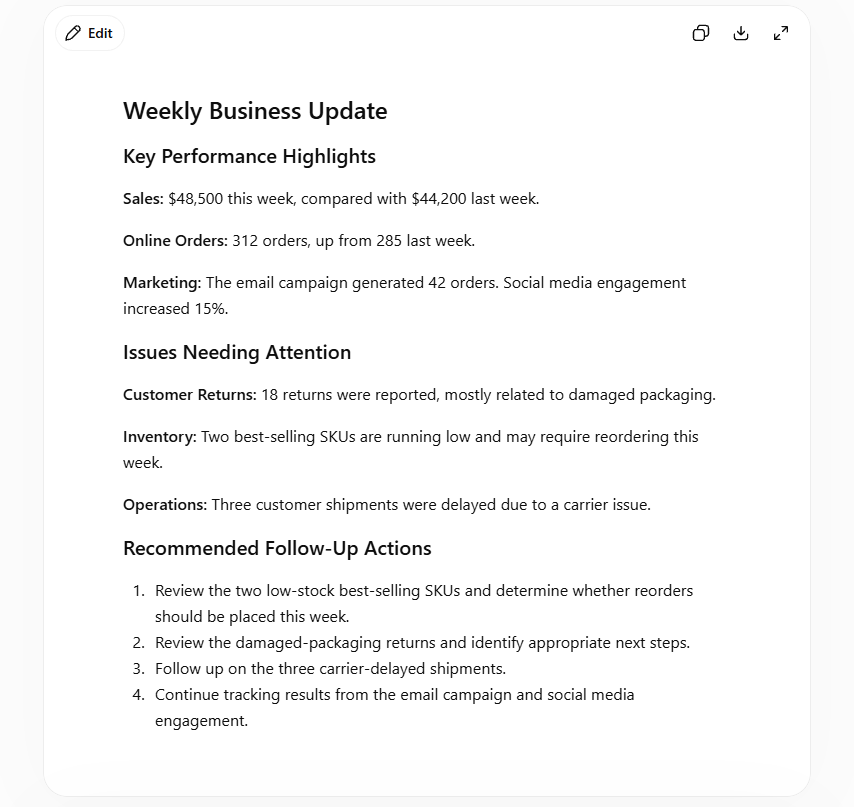
A small business example: instead of manually writing the same weekly update every Monday, you paste this week’s raw numbers into an AI assistant and ask it to organize them into a short management summary you can send to your team or simply read yourself over coffee.
Example output showing how AI can organize weekly business data into highlights, issues, and follow-up actions.
Tool category: a general AI assistant is enough for most small businesses. Larger teams pulling data from several systems may eventually want to connect this to an automation platform — our guide to the best AI automation tools for small business covers that step once you’re ready for it.
What should not be automated: explanations for why a number changed, unless the cause is actually in the data you provided. AI can describe what happened; it shouldn’t guess why without evidence.
What still needs human review: any report that goes to a client, investor, or anyone outside your immediate team should be checked against the source numbers before it’s sent.
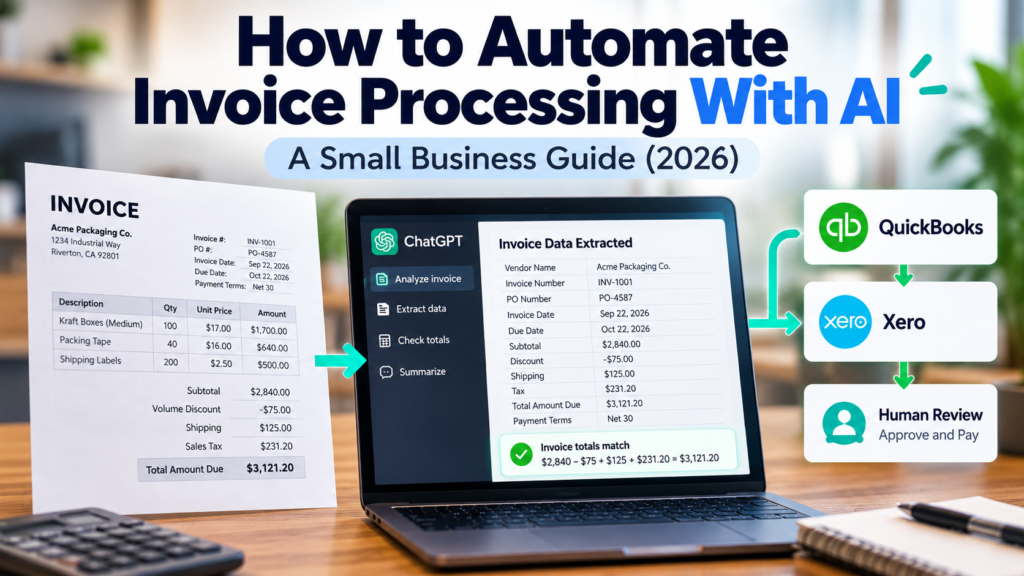
Another structured back-office task worth testing is invoice processing. AI can extract fields such as invoice numbers, dates, totals, and payment terms, then flag missing or inconsistent information for review. We tested this workflow separately in our guide on how to automate invoice processing with AI, including where human approval still matters.
Copy-ready prompt:
Turn the raw weekly numbers below into a short management summary.
This week’s data: [PASTE YOUR NUMBERS OR METRICS]
Write: (1) a 2-3 sentence overview of the week, (2) what went well, (3) what needs attention, (4) one open question worth investigating. Do not invent explanations for changes in the numbers — if the cause isn’t in the data I gave you, say the cause is unclear and should be checked manually.
Where to Start
You don’t need to automate all seven of these at once. Pick the one that currently eats the most time relative to how simple it should be — for a lot of small businesses, that’s customer emails or the weekly report. Try it for a few weeks with one task, keep reviewing the output honestly, and only move to the next one once the first is actually working.
Once you’ve picked a task, our guide on how to automate a small business with AI walks through turning it into an actual repeatable workflow. And if you’re still getting comfortable with AI tools in general, how to use ChatGPT for small business is a good place to build that foundation first.
None of this requires replacing your team or handing over decisions AI isn’t equipped to make. It just means spending less time on the parts of the job that were never the interesting part to begin with.